Posted on September 23, 2026 12:25
Grammarly vs Hemingway: Which Is Best For Writers?
For writers looking to polish a draft, Grammarly and Hemingway are two of the most popular editing tools available. The right choice depends largely on the kind of feedback you need — though neither can replace a professional editor.
Grammarly is primarily a proofreading assistant, designed to catch mistakes and suggest improvements as you write. Meanwhile, Hemingway focuses more on readability, flagging dense sentences, passive voice, adverbs, and other elements that can make prose harder to follow. Both tools can help you spot potential problems in a manuscript, but they appeal to different writers for different reasons.
In a nutshell:
-
Grammarly is the better fit for writers who want help with grammar, proofreading, and polishing their prose.
-
Hemingway is most useful as a quick readability check, particularly for clear, concise nonfiction.
|
Category |
Grammarly |
Hemingway |
|
Grammar & proofreading |
Comprehensive corrections and explanations |
Basic grammar and spelling checks |
|
Style & readability |
Broad clarity and tone suggestions |
Dedicated, but rigid, readability analysis |
|
Writing experience |
Works alongside your existing writing tools |
Minimalist editor, but limited for long-form projects |
|
Pricing |
Free plan available; Pro costs $30/month or $144/year |
Free online editor; desktop app costs $19.99, or Editor Plus from $10/month |
So how do they compare in practice? Let's find out.
Grammar & proofreading
-
🏆 Grammarly (4/5): Excellent proofreading, though it still misses mistakes and occasionally overcorrects.
-
Hemingway (2/5): Covers the basics, but proofreading isn't its main strength.
Grammarly (4/5)
As its name implies, grammar checking is where Grammarly shines. It flags spelling, punctuation, and grammatical mistakes as you write, then lets you accept most corrections with a click. In the event that you don’t understand a suggested correction, Grammarly will explain why it made the suggestion.
That said, it’s far from infallible. In our dedicated Grammarly review, we found that it occasionally missed fairly basic errors like typing “you’re” instead of “your.” Some of its suggestions also became overly pedantic once they strayed from grammar into style, which we’ll come back to below. For fiction writers in particular, unconventional grammar or punctuation may be an intentional stylistic choice rather than something that needs “fixing.” The good news is that you can adjust its goals and preferences, including choosing a creative-writing context, to help reduce irrelevant corrections. Overall, Grammarly is a perfectly functional automated proofreader.
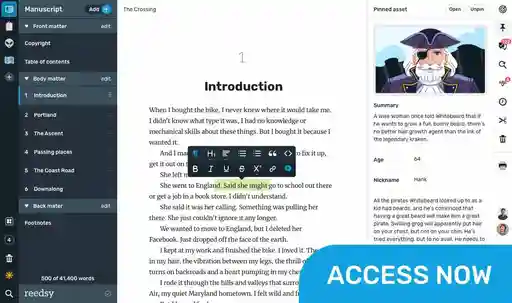
If you only need basic spell-checking while drafting, you may not need a separate tool just to catch typos. Reedsy Studio has a built-in spellchecker, so you can keep drafting and editing your manuscript in one place.
Hemingway (2/5)
While Hemingway does flag spelling and grammar issues, proofreading plays a much smaller role in the overall experience. Its real focus is on the way your sentences are written, rather than whether they're technically correct. In our full Hemingway review, we found that this makes it a useful readability tool, but a less comprehensive proofreading solution.
That makes Hemingway less useful if your main goal is to catch typos, punctuation errors, and grammatical mistakes before sharing a manuscript. Its paid Editor Plus plan adds more advanced grammar fixes, but if proofreading is your priority, Grammarly remains the more purpose-built option.
Style & readability
-
🏆 Grammarly (3/5): Useful clarity and style suggestions, provided you don't accept them blindly.
-
Hemingway (2/5): Excellent at identifying complexity, but too rigid to trust with creative prose.
Grammarly (3/5)
Beyond basic grammar corrections, Grammarly also offers suggestions designed to improve tone and clarity. It might flag a wordy sentence, recommend removing passive voice, or suggest a stronger alternative to an overused word. However, style is far more subjective than grammar, and Grammarly’s readability suggestions are where the software’s limitations become much more apparent.
In our full review, we tested it on The Great Gatsby:
|
Original sentence |
Grammarly suggestion |
|
It was lonely for a day or so until one morning some man, more recently arrived than I, stopped me on the road. |
It was lonely for a day until one morning, someone more recently arrived than I stopped me on the road. |
|
Her husband, among various physical accomplishments, had been one of the most powerful ends that ever played football at New Haven. |
Among various physical accomplishments, her husband had been one of the most powerful ends that ever played football at New Haven. |
While Grammarly's suggested edits may have made Fitzgerald's sentences easier to understand, they also watered down his narrative voice. Its style recommendations are therefore best treated as prompts to reconsider a sentence, rather than instructions to change it.
Writers should be even warier of the software’s AI tools. Grammarly can rewrite passages, change their tone, and adjust their length, which can be useful when you’re stuck on a sentence. But if you lean on those suggestions too heavily, it wouldn’t take long for your prose to start sounding generic.
Hemingway (2/5)
Where Grammarly takes a relatively broad approach to style, Hemingway is much more narrowly focused on readability. In editing mode, it highlights hard-to-read sentences, passive voice, adverbs, weakening language, and overly complicated words, while also assigning your writing a readability grade.
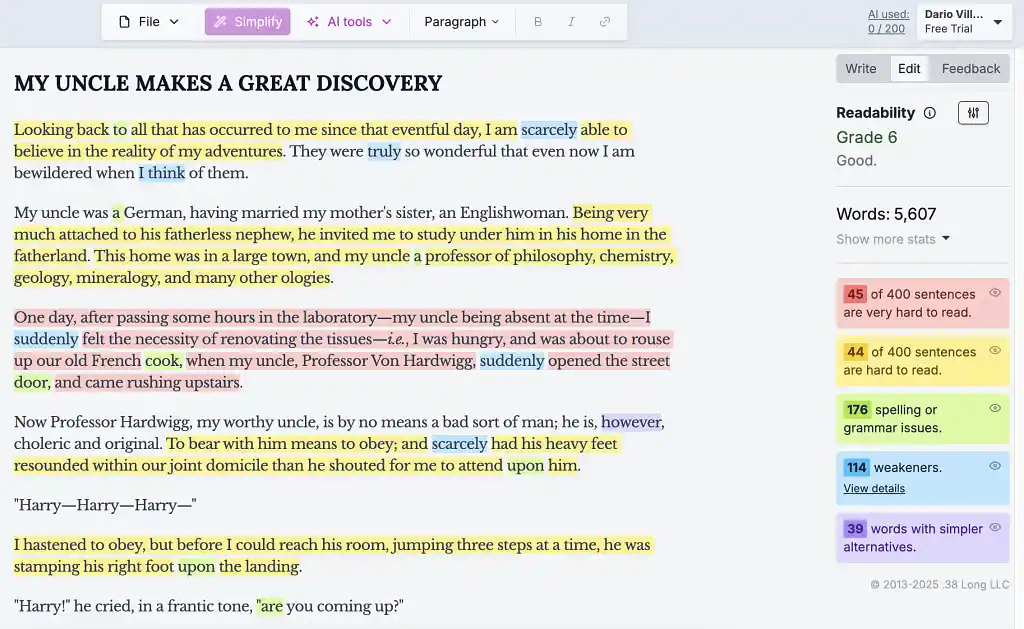
That can be useful if your main goal is clear, concise prose. But Hemingway has a fairly rigid idea of what good writing looks like, and that doesn’t always translate well to fiction. Varied sentence lengths, unusual vocabulary, and other deliberate stylistic choices can all be flagged as problems simply because they make the prose more complex.
It’s a similar story with Hemingway’s AI tools. Editor Plus can rewrite, shorten, expand, or adjust the tone of a passage, but its rewrites tend to sand down qualities that made the original distinctive. For fiction writers, Hemingway is therefore more useful as a diagnostic tool than an editor you should follow blindly.
Grammarly gets the slight edge here because, while both tools can (and do) make subpar suggestions, Hemingway is more likely to treat complexity itself as something that needs fixing.
Writing experience
-
🏆 Grammarly (4/5): Fits easily into an existing writing and editing workflow.
-
Hemingway (2/5): Clean and distraction-free, but limited for book-length projects.
Grammarly (4/5)
Instead of providing a dedicated writing environment where users can draft their novel, Grammarly is designed to work alongside the tools they already use. Through its browser extension and desktop app, Grammarly can provide feedback directly inside programs like Google Docs and Microsoft Word, rather than requiring you to copy your manuscript into a separate editor.
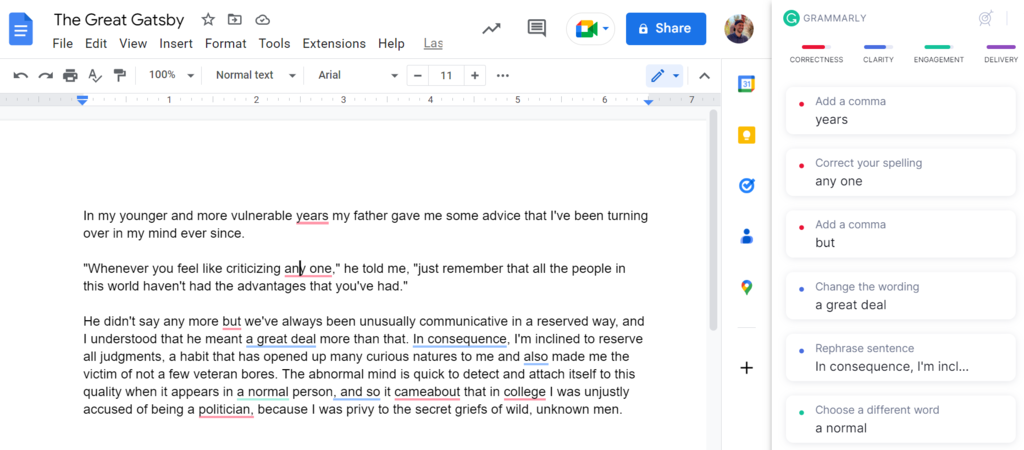
Grammarly isn't really designed to be a book-writing environment. It can help you polish sentences, but its purpose is to improve existing prose rather than help you write, organize, and prepare a manuscript for publication. Think of it as something that sits alongside your writing software rather than replacing it.
Hemingway (2/5)
Unlike Grammarly, Hemingway does provide its own dedicated writing environment, and at first glance it's an appealing one. Its writing mode strips away the colored highlights and gives you a deliberately minimalist editor with basic formatting options.
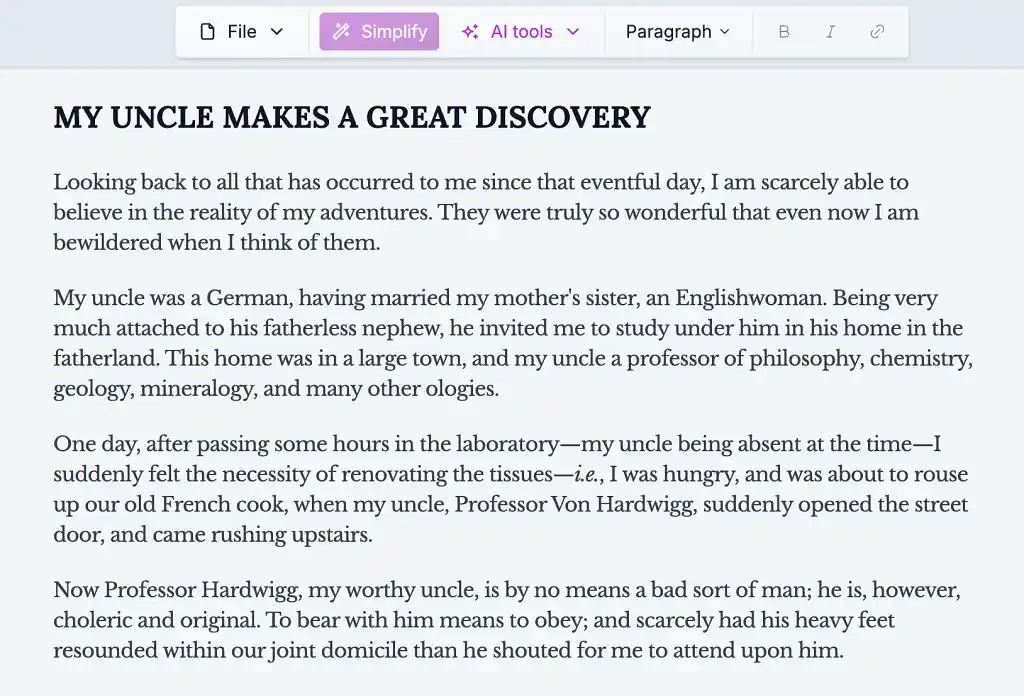
This editor is perfectly functional for short-form work, but its limitations become obvious once you’re working on a full-length manuscript. It doesn't provide any meaningful tools for organizing chapters or managing the structure of a book, and its formatting options are fairly limited.
This is where a dedicated book-writing app like Reedsy Studio fills the gap left by both tools. You can organize your manuscript by chapter, collaborate with other writers or editors, and format your finished book without jumping between different programs.
Pricing
-
Grammarly (3/5): The free version is useful, but Pro is relatively expensive.
-
🏆 Hemingway (4/5): Its core readability tools are free, with inexpensive options if you want more.
Grammarly (3/5)
Grammarly offers a free plan and a paid Pro plan. Grammarly Pro costs $30 per month, $60 per quarter, or $144 per year. Pro adds features such as full-sentence rewrites, tone adjustments, and a much larger allowance of generative AI prompts.
The free version will probably be enough for most writers who are simply after more advanced grammar and proofreading support than a basic word processor provides. Pro gives you considerably more editing support, but it’s a fairly expensive subscription if you only plan to use it while revising a manuscript.
Hemingway (4/5)
Hemingway’s core readability checker is free to use online, while its desktop app costs $19.99 as a one-time purchase. Meanwhile, Hemingway Editor Plus adds AI rewrites and more advanced grammar tools. It starts at $10 per month, or $100 per year.
That makes Hemingway the cheaper option overall, especially if you’re mainly interested in its readability analysis. But for most writers, the free version would likely already give you most of what you need.
Conclusion: which tool wins?
After adding up the scores, Grammarly comes out ahead with 14 points to Hemingway's 10. But that doesn’t necessarily make Grammarly the better option for all writers.
-
Choose Grammarly if you’re a writer who wants an all-round proofreading assistant that can catch mistakes, offer occasional clarity suggestions, and fit neatly into the tools you already use.
-
Choose Hemingway if you mainly want a quick way to identify dense or difficult prose — particularly if you're writing articles, essays, or other work where simplicity and accessibility are priorities.
Or, if you’re looking for more than an editing assistant, give Reedsy Studio a try. While Grammarly and Hemingway help you refine existing prose, Studio is built around the full book-writing process, from drafting and organizing your manuscript to preparing it for publication.
Other writing app listicles, reviews, and comparisons on Reedsy:
-
Book writing software (Listicle)
-
Writing tools (Listicle)
-
Collaborative writing tools (Listicle)
-
Scrivener alternatives (Listicle)
-
Grammarly alternatives (Listicle)
-
Plagiarism checkers (Listicle)
-
Proofreading software (Listicle)
-
AI writing tools (Listicle)
-
Grammar checkers (Listicle)
-
Atticus (Review)
-
Campfire (Review)
-
Dabble (Review)
-
Grammarly (Review)
-
Hemingway (Review)
-
Novlr (Review)
-
Obsidian (Review)
-
Plottr (Review)
-
ProWritingAid (Review)
-
Scrivener (Review)
-
Squibler (Review)
-
Sudowrite (Review)
-
Ulysses (Review)
-
Vellum (Review)
-
Dabble vs. Scrivener (Comparison)
-
Reedsy Studio vs. Atticus vs. Scrivener (Comparison)
-
Scrivener vs. Word (Comparison)
-
Ulysses vs. Scrivener (Comparison)