Posted on September 13, 2025 15:55
The 25 Best Writing Tools of 2026: A Guide for Writers
From reed pens in 800 B.C. (where “Reedsy” gets its name) to typewriters and now cloud-based apps, writing tools have always evolved alongside creativity.
In 2026, the best writing tools combine distraction-free environments, organizational simplicity, and occasionally even AI-powered features that help you streamline every step of the writing process.
With so many tools available, today’s writers are spoiled for choice — so we’ve curated our favorite writing tools and resources to help you find the right one.
Here are 2026's best tools for writers at a glance:
|
✍️Tool |
🎯Key Features |
🎖️Best For |
|
Auto-formatting to EPUB/PDF, clean interface, goal tracking |
Writers who want to focus solely on writing, not formatting. |
|
|
Markup editor, writing goals, iCloud sync |
Mac/iOS writers who want minimalist writing and organization tools. |
|
|
Corkboard, manuscript management, outliner |
Authors tackling long-form projects needing powerful organization tools. |
|
|
Mellel |
Outlining, multilingual support, Bookends integration, precise formatting |
Mac users writing complex academic or novel-length projects. |
|
LibreOffice |
Classic word processor, cross-platform, MS file compatibility |
Writers who prefer offline, free software with MS Office compatibility. |
|
Plot grid, drag-drop chapters, cloud sync |
Beginner novelists seeking a simple, organized writing space. |
|
|
FocusWriter |
Hide-away interface, customizable themes, timers |
Minimalists seeking open-source, distraction-free writing tools. |
|
Plot Factory Studios |
AI-powered feedback, visual story mapping, collaboration features |
Plotters who need structured tools and easy collaboration. |
|
Milanote |
Visual boards, drag-drop notes, collaboration |
Visual thinkers mapping ideas in a flexible workspace. |
|
Local markdown storage, visual graph, link ideas |
Writers building a personal knowledge base offline-first. |
|
|
Bear App |
Markdown support, tagging, note linking |
Mac/iOS writers needing simple note-taking with markdown. |
|
Visual timelines, character templates, export to Word/Scrivener |
Authors wanting visual planning before writing. |
|
|
Professional ebook/print formatting |
Authors focused on professional-quality self-publishing. |
|
|
Readability checks, grammar highlighting, desktop/web version |
Writers aiming for sharper, clearer prose without complex tools. |
|
|
Marlowe Pro |
AI manuscript analysis, genre-specific feedback, fast reports |
Authors wanting data-driven feedback to refine manuscripts. |
|
Cliché Finder |
Cliché detection |
Writers focused on originality and avoiding clichés. |
|
Real-time grammar, vocabulary suggestions, plagiarism check |
Writers wanting grammar and tone checks everywhere they write. |
|
|
Grammar, style, spelling suggestions |
Authors needing comprehensive language improvement tools. |
|
|
OmmWriter |
Immersive writing environment, soundscapes |
Writers seeking a meditative, distraction-free space. |
|
Marinara Timer |
Custom Pomodoro timer, browser-based |
Writers using the Pomodoro technique for flexible time management. |
|
Cold Turkey |
App and site blocking, session timers |
Writers needing strict focus without distractions. |
|
Neo Smartpen N2 |
Handwriting capture, Evernote sync, digital conversion |
Pen-and-paper lovers wanting digital convenience. |
|
Soundcore Work |
Real-time transcription, highlights, portable |
Writers who want to capture ideas on the go, hands-free. |
Now, let's dive in!
✍️ Writing Software
Here are seven stellar word processors that deserve a spot on your list of the best writing tools. Designed with writers in mind, these tools go beyond generic word processing to help you draft, structure, and polish your work.
1. Reedsy Studio
💰 Pricing: Free (writing, formatting, goals). Craft Add-On $4.99/mo (history, stats, custom goals, dark mode). Outlining Add-On $7.99/mo (boards, notes, list view, dark mode)
💻 Compatibility: Web-based
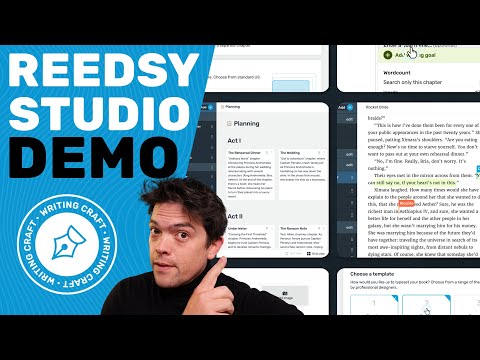
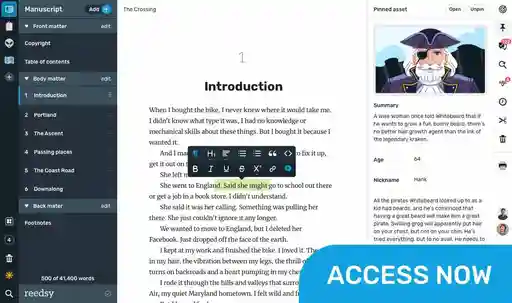
We're biased, but Reedsy Studio really does stand out as a writing tool that makes drafting, organizing, and formatting your manuscript effortless. It gives you that much-needed momentum to keep writing, by seamlessly transforming your drafts into professional, print-ready PDFs or EPUBs. It also comes with an automatic spell-checker and a built-in goal reminder system to get you back on track if you find yourself falling behind on your writing schedule.
If you’d like a little extra power, the Craft Add-On brings unlimited version history, advanced stats, and the freedom to customize your goals. For planners, the Outlining Add-On adds unlimited boards and notes (with pinning and attributes), plus flexible views to help you map out your story with ease.
✅ Pros:
-
Clean, distraction-free interface
-
Easy professional formatting
-
One-click export to EPUB or print-ready PDF
-
Built-in goals and reminders to keep you motivated
-
Optional add-ons for deeper planning and progress tracking
❌ Cons
-
Not possible to use when offline
-
Only web-based, no mobile app
-
Limited formatting options (4 templates only)
🎖️Best for: Writers who want an intuitive, all-in-one writing platform that handles formatting, templates and goal tracking effortlessly. Especially useful for self-publishers seeking professional output without the hassle of complex software.
2. Ulysses
💰 Pricing: $5.99/mo or $39.99/yr
💻 Compatibility: Mac, iOS
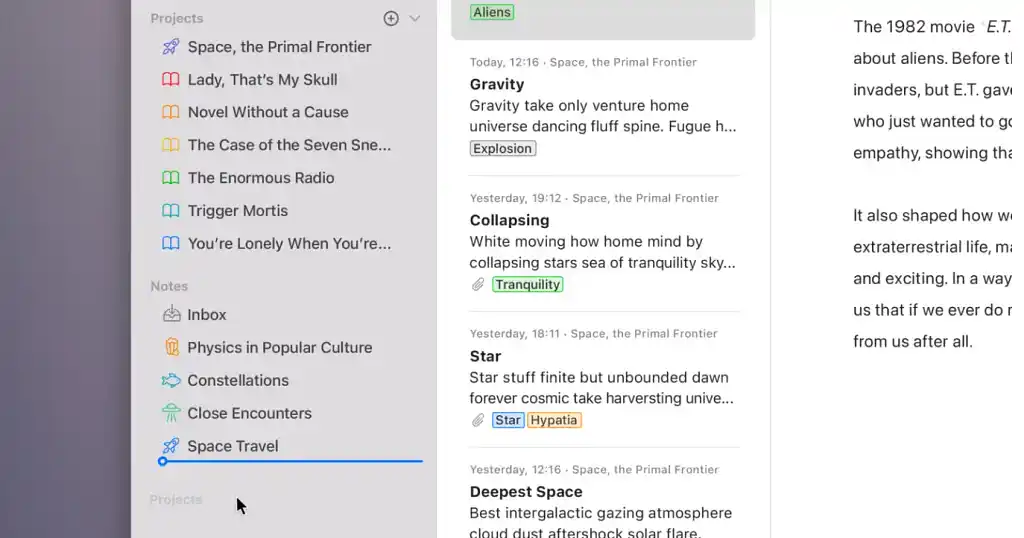
While it’s ultimately a writing tool, one of the best assets of a comprehensive program like Ulysses is its organizational features. At the end of the day, whether you’re writing a blog post or a full-length novel, the seed of an idea doesn’t get too far without the ability to organize that idea into a cohesive piece of writing.
Ulysses helps you do exactly that with features like customizable writing goals and deadlines, a markup-based text editor and a distraction-free writer mode. You can even organize your chapters and notes in one place for easy reordering and overviews. But if you’re working on really complex novels or need advanced templates, Ulysses can feel limited. Plus, it’s only available on Mac and iOS, which isn’t great if you work across multiple platforms.
✅ Pros:
-
Interface that allows easy reorganizing
-
Writing goals for steady progress
-
Markdown support
-
Direct export to WordPress, Ghost, Medium and Micro.blog
❌ Cons:
-
Lacks advanced templates for complex novel structures
-
Mac and iOS only — no Windows or Android support
-
Limited features for multi-format publishing
🎖️Best for: Writers who are tackling long-form pieces and want a focused workspace that emphasizes simplicity. Ulysses excels at keeping your ideas organized and accessible, though it may feel a bit limited for intricate projects or cross-device workflows.
3. Scrivener
💰 Pricing: $59.99 one-time (Windows/Mac) • iOS app $24.99 • Educational license $50.99 • Bundle $95.98
💻 Compatibility: Windows, Mac, iOS
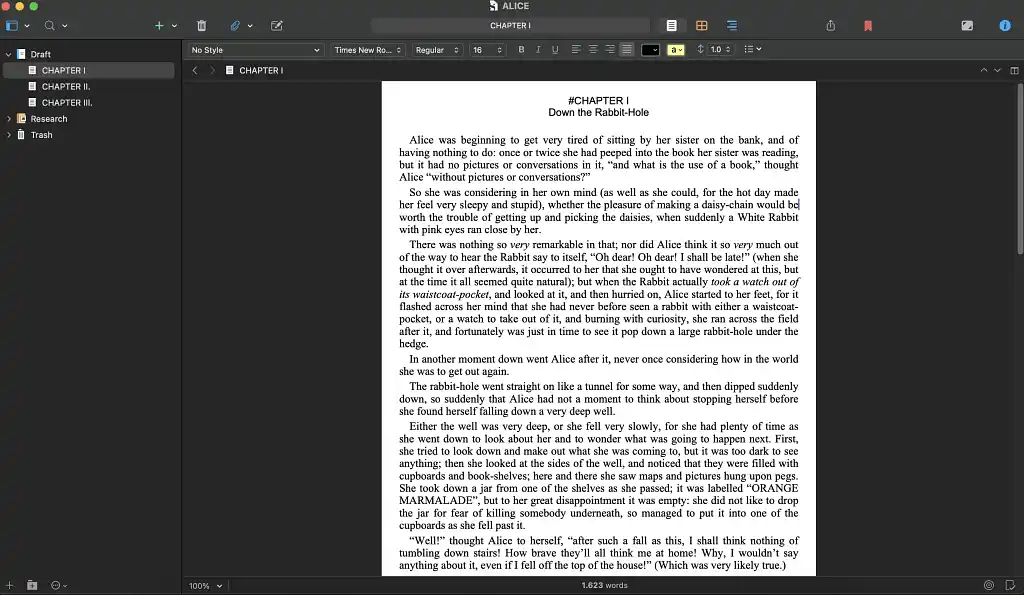 Scrivener is another popular writing tool — in large part, thanks to its organizational capabilities that allow writers to easily turn fragmented ideas into a fully realized book (or whatever else you’re writing). It helps you break your manuscript into manageable sections, build character profiles, and keep all your research in one place. With handy features like the corkboard and outliner, organizing and reshuffling your work becomes a breeze — but the learning curve is pretty steep!
✅ Pros:
-
Organize your manuscript into chapters, scenes, and notes - highly customizable.
-
Utilize the corkboard and outliner to plan and rearrange your work.
-
Write without an internet connection (here’s to uninterrupted focus!)
❌ Cons:
-
Steep learning curve — not beginner-friendly
-
Interface can feel overwhelming
-
No real-time collaboration features
🎖️Best for: Writers who need a writing environment that keeps every idea, note, and scene perfectly organized - particularly for a longer piece of content (like a book or screenplay). Scrivener remains a top choice for writers who value deep project management and structure, though its sometimes overwhelming interface requires patience to master.
4. Mellel
💰 Pricing: Standard License $69 (full features + 2 years updates) • Upgrade $44.99 (from prior version) • Bundle $114.99 (Mellel + Bookends)
💻 Compatibility: Mac
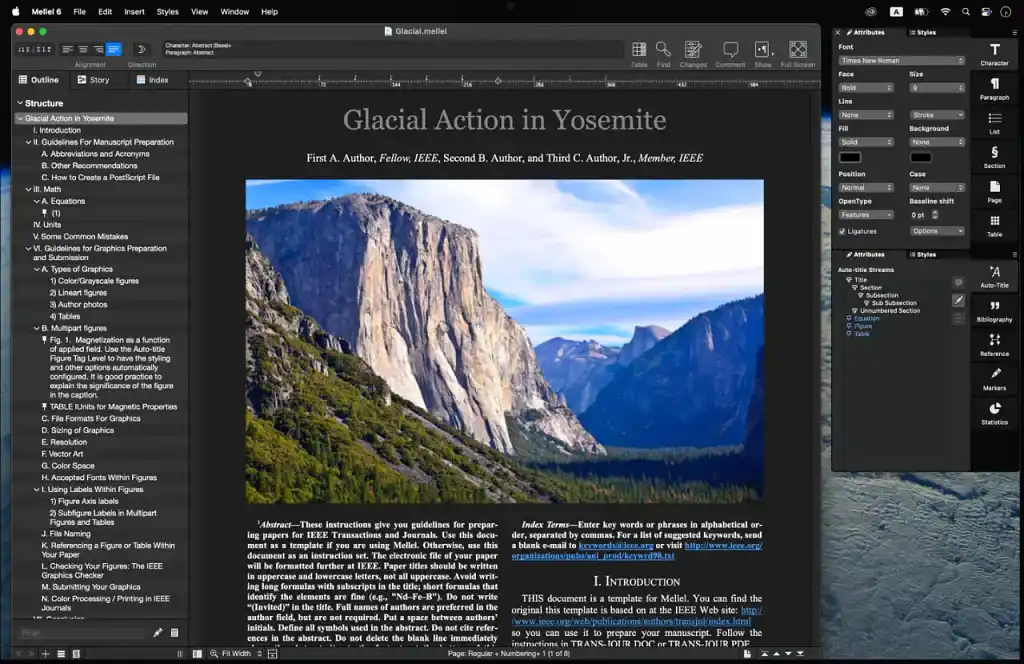
Mellel is a Mac-exclusive word processor designed with serious writers in mind. Its creators describe it as "exceedingly boring" and that’s a compliment! Instead of flashy gimmicks, Mellel focuses on getting the basics right, helping you concentrate on your words without distractions. It’s perfect for crafting complex documents like novels, theses, or academic papers, with advanced outlining and bibliography tools built right in. Plus, it supports multilingual writing, including right-to-left languages like Arabic and Hebrew, and integrates smoothly with Bookends for citation management. Its sister app, Mellel Mobile brings all these features to your iPad, and it’s free with in-app purchases.
That said, Mellel doesn’t have some of the bells and whistles you might find in competitors like Microsoft Word (think mail merge), and it’s limited to macOS users only. New users may also face a slight learning curve before mastering its precision formatting controls.
✅ Pros:
-
Auto-titles, outlining, and bibliography generation
-
Multilingual support (including right-to-left languages)
-
Integration with Bookends for citation management
-
Precise formatting controls and document structure
-
Export to PDF, Word (docx), and ePub
❌ Cons:
-
Mac-only — no Windows or iOS version
-
No mail merge functionality
-
Learning curve for mastering advanced formatting features
🎖️Best for: Mac users in search of a no-nonsense, feature-rich alternative to Pages — particularly suited for long-form writing or academic work. Mellel stands out for writers who need powerful structure and citation tools, though it’s best for those willing to invest time mastering its precision controls.
5. LibreOffice
💰 Pricing: Free - All core features included, no paid version
💻 Compatibility: Windows, Mac, Linux
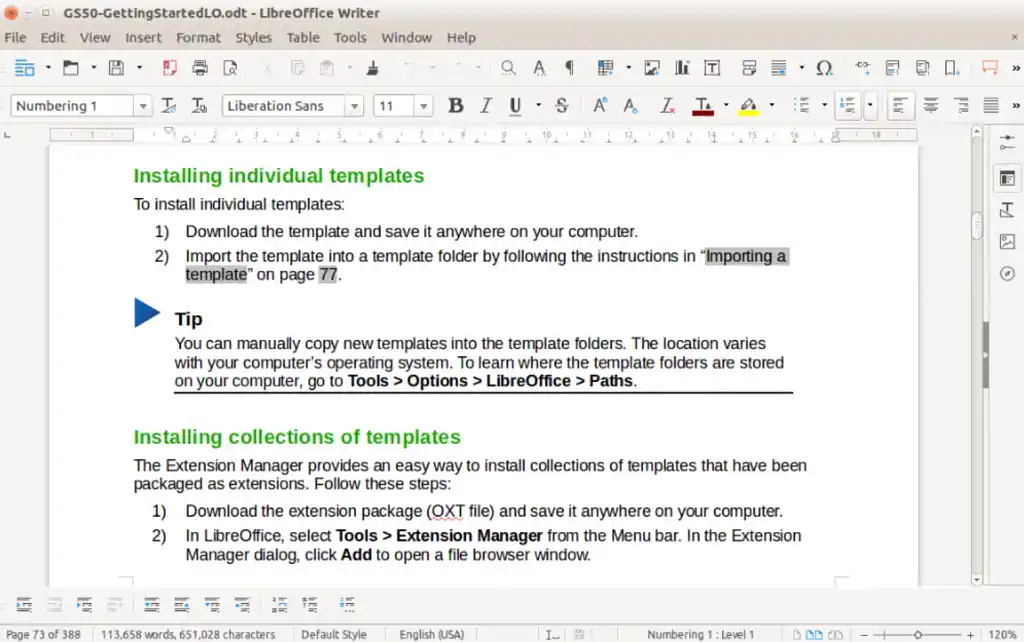
LibreOffice definitely deserves a shoutout as a free, open-source alternative to Microsoft Docs. It’s a full-featured writing suite made for writers who want a classic word processor without the hefty price tag. Compatible with all the file types you know and love (.doc, .docx, .xls, .ppt, etc.), LibreOffice covers writing, spreadsheets, presentations, and beyond. That said, the interface feels a bit dated compared to modern apps, and it lacks technical support as opposed to paid alternatives.
✅ Pros:
-
Fully free and open-source
-
Compatible with Microsoft Office file types (.doc, .docx, .xls, .ppt)
-
Cross-platform functionality (Windows, Mac, Linux)
❌ Cons:
-
Dated UI feels clunky compared to modern alternatives
-
Lacks reliable technical support
-
Lacks advanced formatting features found in paid competitors
🎖️Best for: Writers who prefer an offline, no-cost solution that handles all the essential writing and formatting tasks – especially if you’re comfortable with a retro interface and don’t need cloud syncing. Overall, it’s better suited for practical work than polished, collaborative projects.
6. Dabble
💰 Pricing : Basic $9/mo (unlimited manuscripts, goal tracking) • Standard $19/mo (focus mode, plot grid) • Premium $29/mo (Read-to-Me, co-authoring, priority support)
💻 Compatibility: Web
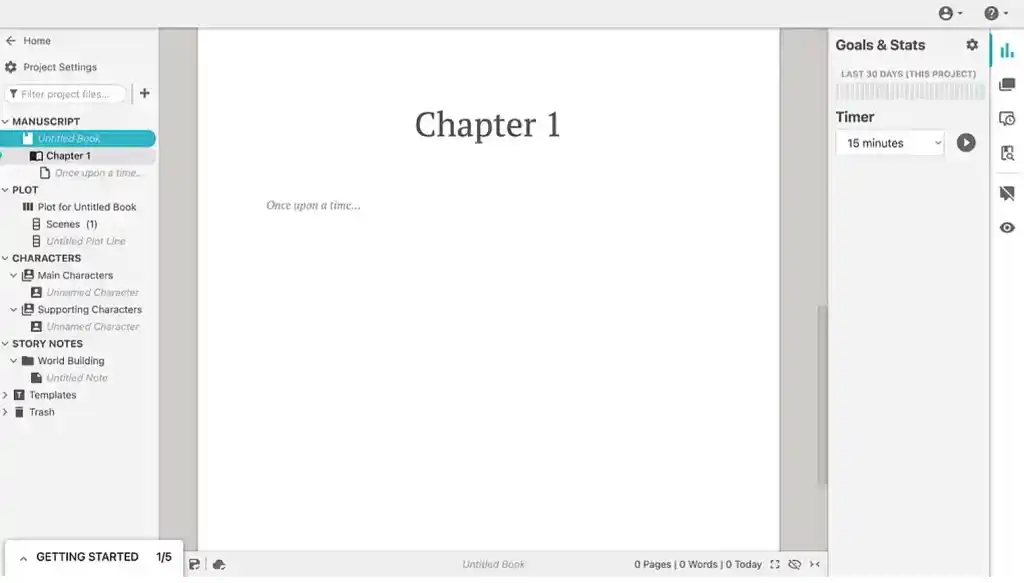
Dabble is a cloud-based writing tool designed with novelists in mind; ideal if you’re just starting out and don’t want to get bogged down by complicated settings. Its interface keeps your focus on the story, not the software. You can easily drag and drop chapters to reorganize your plot, while the built-in plot grid helps you map out your story arc without pulling out a whiteboard (or sticky notes… or sanity). That said, the UI feels quite clunky and dated, but it does the job.
✅ Pros:
-
Cloud-based interface keeps your work accessible anywhere
-
Simple drag-and-drop chapter organization makes rearranging scenes a snap
-
Built-in plot grid helps visualize your story structure as you go
❌ Cons:
-
Clunky and dated user interface
-
Limited advanced formatting and customization options
-
Limited co-authoring features
🎖️Best for: Writers who want a straightforward, cloud-based writing platform that keeps your ideas organized and your focus on the story, not the software. Dabble excels at simplicity and accessibility but doesn’t offer deep customizations for power users.
7. FocusWriter
💰 Pricing: Free - Full access to all features (but Graeme Gott, the creator, would appreciate tips to help them keep up the good work)
💻 Compatibility: Windows, Mac, Linux
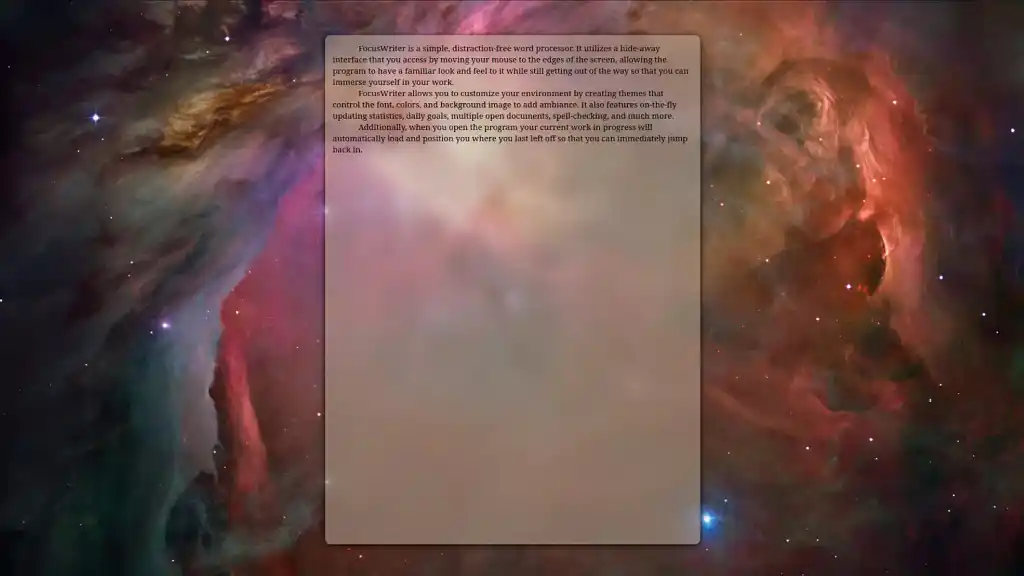
FocusWriter offers a simple interface that removes distractions, allowing writers to concentrate solely on their words. It's free and open-source, perfect for authors who want minimal interference. It utilizes a hide-away interface that you can access by moving your mouse to the edges of the screen, which you can customize with themes. However, it lacks advanced features typically found in other writing tools.
✅ Pros:
-
Free and open-source
-
Customizable themes and backgrounds
-
Basic timers to track writing sessions
❌ Cons:
-
No advanced formatting features
-
Limited export options
-
No real-time collaboration
🎖️Best for: Minimalist writers who value simplicity and focus over feature-packed complexity. FocusWriter strips writing down to its essentials, offering a quiet place to write without distractions, though it doesn’t provide organizational or advanced editing tools.
🗂️ Organization & Idea Management Tools
As a writer, having notes or outlines you can easily refer to allows you to jump straight over plotting hurdles and hit the ground running. The following resources will help you keep your thoughts organized so that a case of writer’s block doesn’t slow you down.
8. Plot Factory Studios
💰 Pricing: Free (limited projects, no AI or backups) • Basic $9/mo (limited projects, 300k AI tokens/day, weekly backups) • Pro $14/mo (limited projects, daily backups) • Business $19/mo (unlimited projects, daily backups)
💻 Compatibility: Web-based
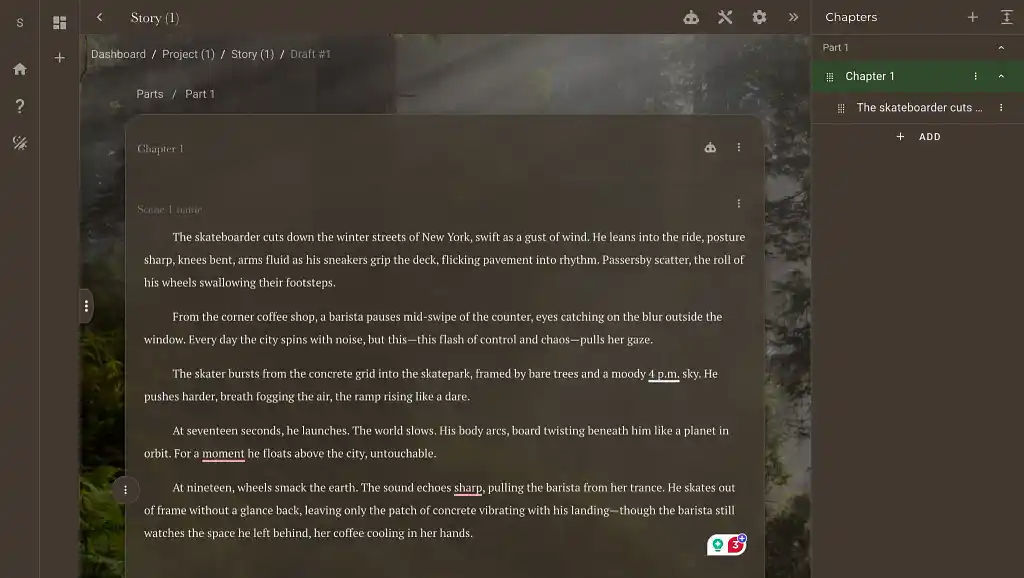 Plot Factory Studios is the recently launched rebuild of the Plot Factory legacy version. It's your digital playground for plotting, where you set the right mood for your sessions with themes (like Sepia, Medieval, Twilight, etc.), flesh out your plot, and collaborate without the chaos. They’ve even introduced a clever little Watson AI to help with analysis and feedback on your projects. With customizable collections, story maps, and character development tools, it keeps your ideas neatly in line — perfect for planners, though you may find it a bit too restrictive if you thrive on creative freewheeling.
✅ Pros:
-
Real-time collaboration with co-authors
-
Visual story mapping for clear structure
-
Character and plot development templates
-
Export options to ePub and DOCX formats
❌ Cons:
-
Limited creative flexibility in customization
-
Free tier lacks AI assistance and backups
-
May feel restrictive for freeform planners
🎖️Best for: Writers who need a structured environment for organized story planning and seamless collaboration. Plot Factory shines at keeping your plotlines, characters, and notes in clear order, though power users may find it limiting in flexibility.
9. Milanote
💰 Pricing: Free (100 notes/images, 10 file uploads) • Pro $9.99/mo (unlimited uploads, shared boards) • Team $49/mo (up to 10 users)
💻 Compatibility: Windows, Mac, iOS, Android
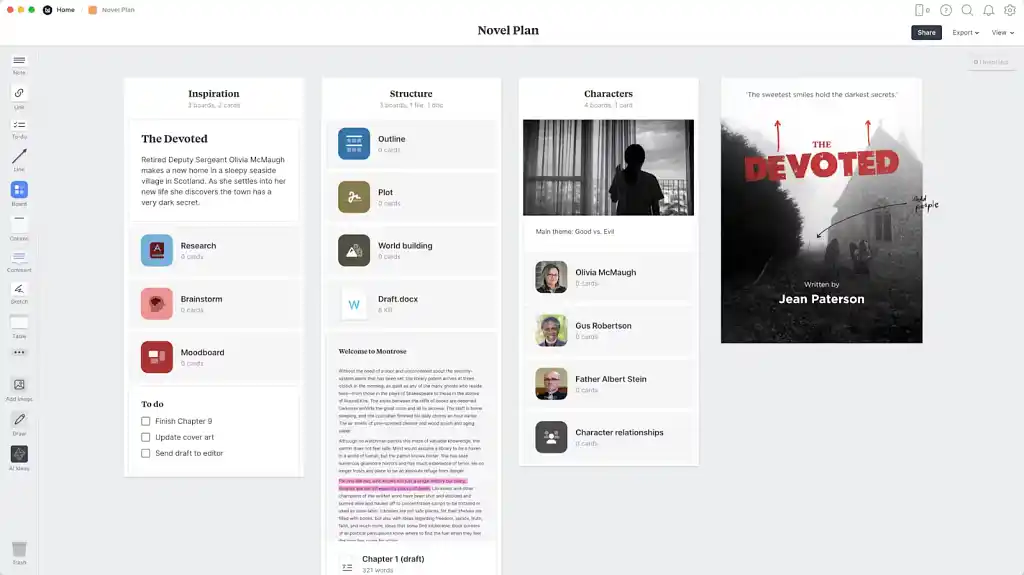
Milanote is a flexible, visual workspace that helps writers map out ideas, characters, and plotlines in one place. Think of it as a digital corkboard where you can drag, drop, and connect notes, images, and research. The vast majority of novelist-oriented writing software is organized around the idea of a linear document. But for most people, writing isn’t linear — because thinking isn’t linear.
Milanote's perfect for writers who think in pictures rather than paragraphs, making brainstorming and organizing a little less chaotic. Though its open-ended nature can sometimes feel overwhelming, and offline functionality is limited.
✅ Pros:
-
Drag-and-drop boards for flexible, non-linear organization
-
Visual mapping of characters, scenes, and research
Collaboration features for team projects -
Promises world class security and privacy
❌ Cons:
-
Limited offline functionality
-
Open-ended design can feel overwhelming
-
Not focused on final manuscript formatting
🎖️Best for: Writers who think in pictures rather than paragraphs and want to map a story visually instead of through endless note lists. Milanote helps you see your ideas take shape, though it’s not ideal if you need offline access or robust structure.
10. Obsidian
💰 Pricing: Free (local storage, visual graph) • Sync $4/mo (cross-device sync, encrypted vaults) • Publish $8/mo (publish notes online)
💻 Compatibility: Windows, Mac, Linux, iOS, Android
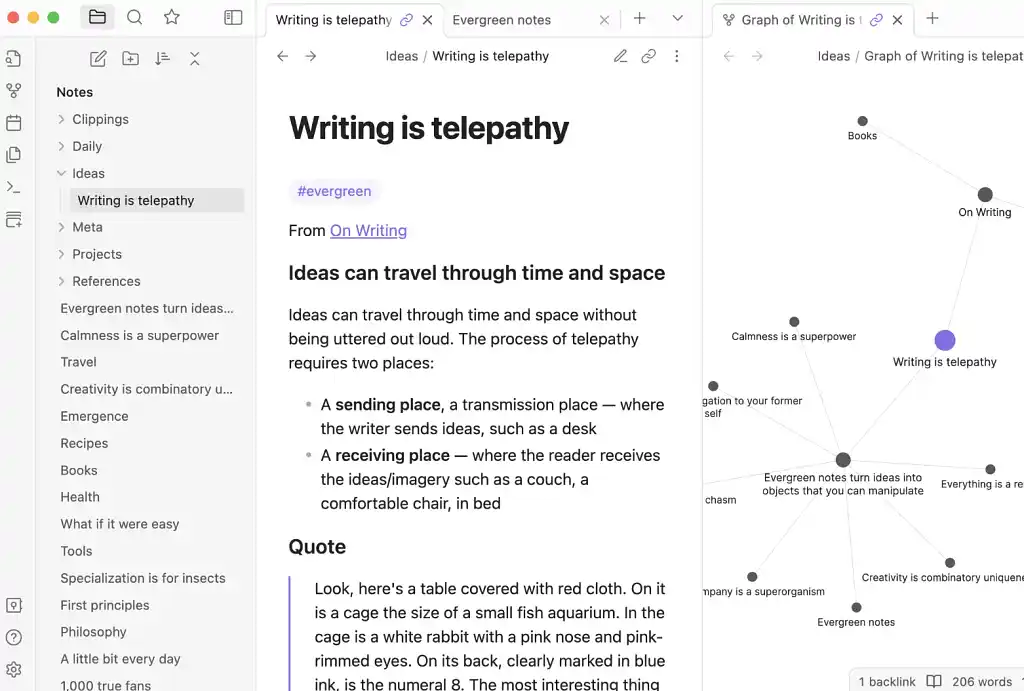
Obsidian is a markdown-based knowledge management tool built for writers who love linking ideas and diving deep into research. Everything is stored locally, giving you full control over your notes. The visual graph makes it easy to see the connections between characters, plot points, or research topics. It’s incredibly powerful, though the learning curve can feel steep at first, and its mobile experience isn’t officially supported.
✅ Pros:
-
Local markdown storage keeps your data yours
-
Visual graph shows how ideas connect and evolve
-
Free core app with optional paid support
❌ Cons:
-
Steep learning curve for beginners
-
Mobile experience not officially supported
-
Requires manual configuration for optimal use
🎖️Best for: Writers who want a digital “second brain” to track characters, research, and plotlines, all stored locally with rich interconnections. Obsidian offers unmatched flexibility for knowledge mapping, though it’s best suited for those comfortable with markdown and complex setups.
11. Bear App
💰 Pricing: Free (local notes, markdown, 3 themes, iCloud sync) • Pro $2.99/mo or $29.99/yr (28+ themes, 15 app icons)
💻 Compatibility: Mac, iOS
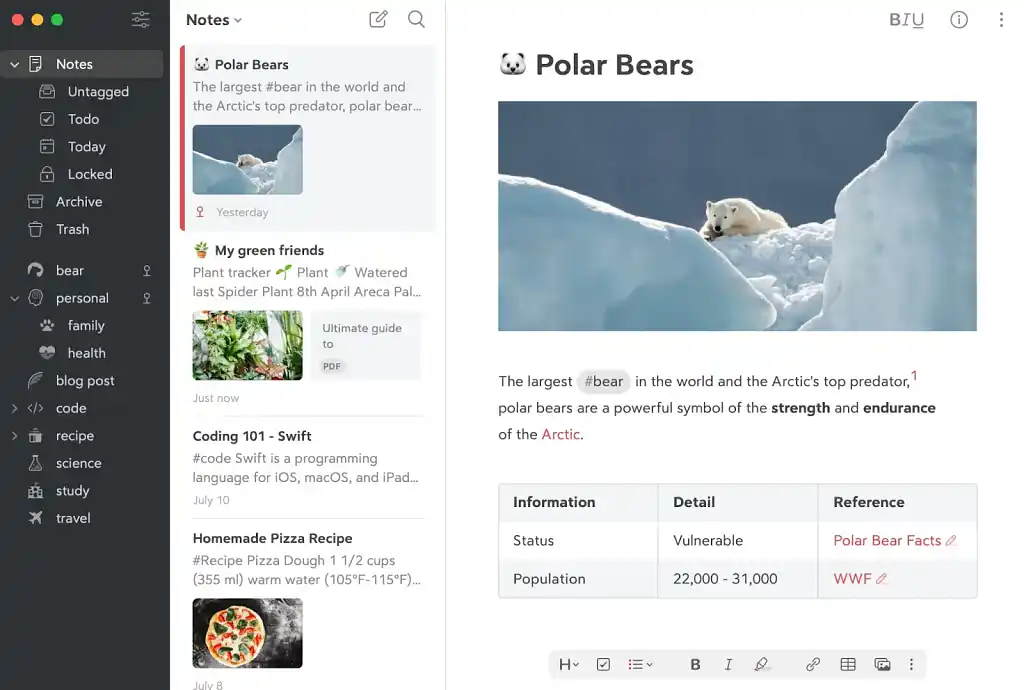
Bear is a lightweight writing app for Mac/iOS that supports markdown, tagging, and cross-note linking. It is ideal for writers focused on simple, organized note storage, however, its subscription model may not appeal to everyone.
✅ Pros:
-
Markdown support for clean formatting
-
Tagging and cross-note linking for organization
-
Encrypt individual notes and lock Bear
-
Advanced export options to PDF, HTML, DOCX, JPG
❌ Cons:
-
Mac/iOS only – no Windows or Android
-
Subscription needed for Pro features
-
No real-time collaboration tools
🎖️Best for: Writers looking for a sleek, minimalist app for capturing and organizing markdown notes with easy tagging and cross-linking. Bear keeps ideas tidy, though it’s best for solo writers embedded in the Apple ecosystem.
12. Plottr
💰 Pricing: Desktop $60/yr or $150 lifetime (offline, local backups) • Pro Cloud $99/yr or $599 lifetime (real-time collab) • Pro + Community $129/yr or $649 lifetime
💻 Compatibility: Windows, Mac
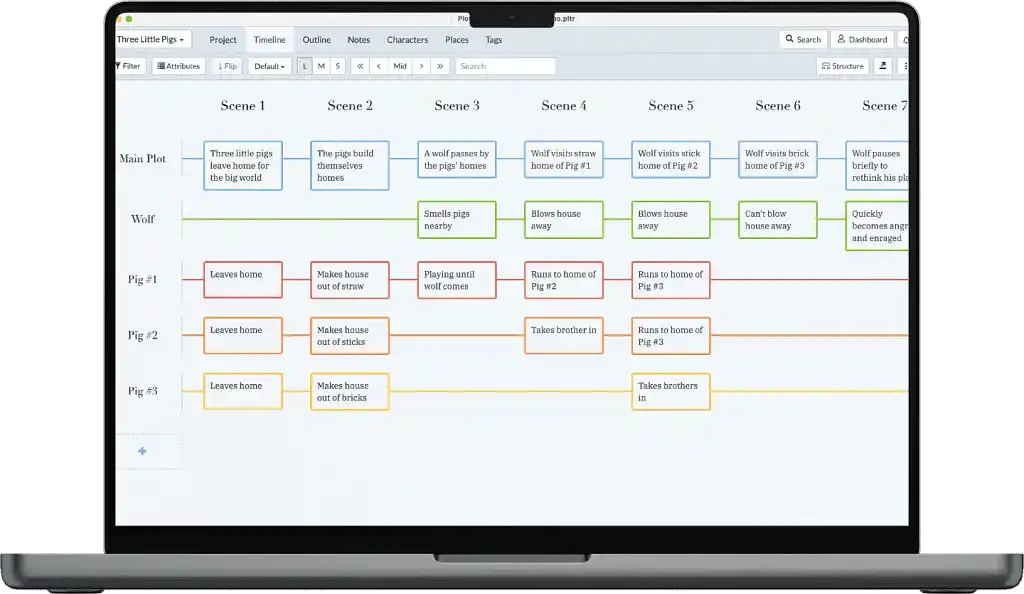 Plottr is a visual outlining tool for authors who want to map out novels and series without losing their minds—or leaving plot holes behind. Its drag-and-drop interface makes organizing timelines, character arcs, and scenes a breeze, perfect for tackling even the most complex stories. The pricing may give you pause, but the promise of smoother plotting might be worth it.
✅ Pros:
-
Visual timeline for story plotting
-
Character management tools and templates
-
Export your outline to MS Word & Scrivener for seamless workflow
❌ Cons:
-
Doesn’t function as a fully equipped writing platform
-
Relatively expensive for the feature set
-
Basic plan doesn’t include automatic cloud sync
🎖️Best for: Writers who like to plan visually and want a powerful tool to organize their story’s structure before writing. Plottr excels at outlining but isn’t intended for full manuscript drafting.
✏️ Editing & Polishing Tools
If you’re planning to publish a book — or any kind of writing you’re hoping to make a profit from, it’s crucial that your work is thoroughly edited. To that end, working with a professional editor is an investment you should give serious thought to.
In the meantime, here are a few editing tools that can help you out along the way.
13. Vellum
💰 Pricing: $199.99 – Full access to all formatting features. You can upgrade to Vellum Press for an additional $69.99 USD.
💻 Compatibility: Mac only
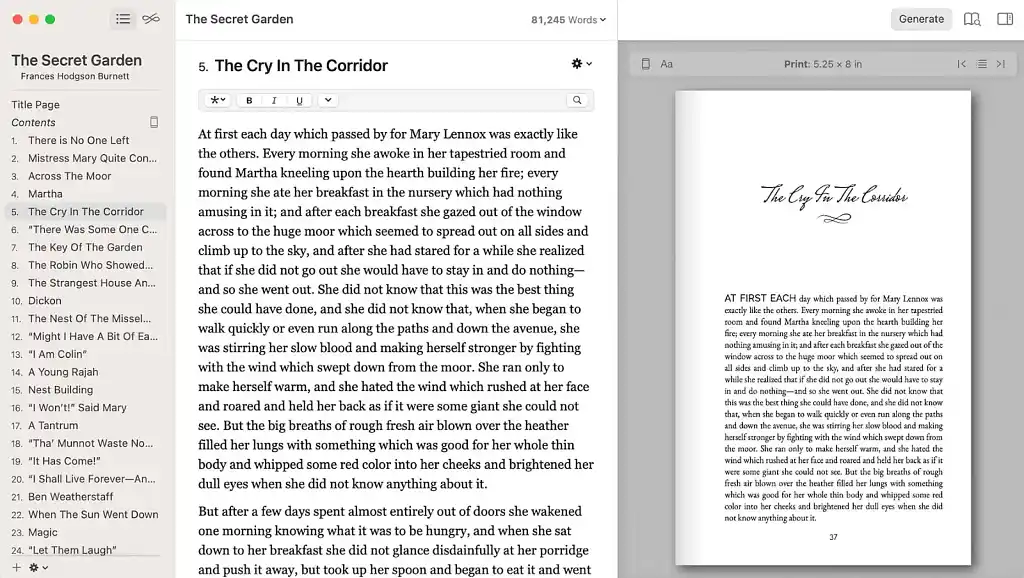
Vellum is a formatting dream for authors ready to see their manuscript turn into a professional ebook or print-ready file. Its drag-and-drop simplicity means you spend less time wrestling with margins and more time imagining your story in the hands of readers. On the downside, Vellum is Mac-only and comes with a relatively steep one-time cost.
✅ Pros:
-
High-quality print and ebook formatting
-
Intuitive drag-and-drop interface
-
Templates for different book sizes and styles
❌ Cons:
-
Mac-only, no Windows or web version
-
Expensive one-time fee
-
Limited layout customization
🎖️Best for: Writers seeking a streamlined way to turn their manuscript into professional-looking ebooks and print books without wrestling with complex layout tools. Vellum stands out for delivering polished, ready-to-publish formats in minutes, though it’s limited to Mac and comes at a premium.
14. Hemingway App
💰 Pricing: Web- Free (online checks) • Desktop $19.99 (offline editing) • Editor Plus $8.33–$12.50/mo (AI suggestions, team licenses)
💻 Compatibility: Windows, Mac, Web
The Hemingway App helps you tighten your writing by flagging complex sentences, passive voice, and excessive adverbs. It’s perfect for authors who want sharper, more readable prose. For instance, it might highlight a complex sentence that’s hard to read. It can also highlight instances of passive voice, qualifiers, and adverbs. Let’s take a look at how this passage from Ernest Hemingway’s very own To Have and Have Not fares:
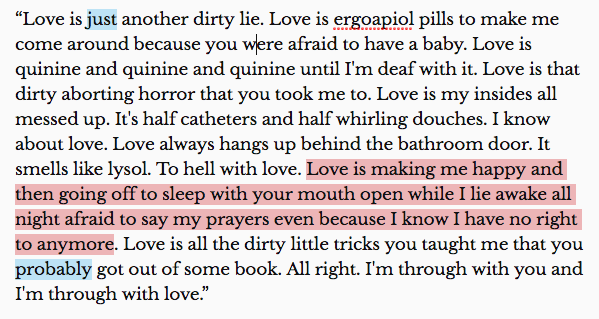
“Just” is highlighted because it’s a qualifier, and Hemingway suggests, instead: “Be bold. Don’t hedge.” The sentence in red is highlighted as being hard to read. And “probably” is pointed out as an adverb — the app suggests using a forceful verb instead.
The paid Plus subscription adds AI-powered writing assistance to the mix, with an advanced grammar checker designed to catch and correct even the most elusive errors. However, Hemingway doesn’t integrate with other writing tools, so you may find yourself toggling between apps. (Curious what else Hemingway offers? Check out our full review of the app right here.)
✅ Pros:
-
Highlights readability issues clearly
-
Offers desktop and web versions
-
Simple, distraction-free interface
❌ Cons:
-
No integration with writing software
-
Limited customization of suggestions
-
Basic version lacks advanced grammar and style editing
🎖️Best for: Those who want a simple, no-frills tool to identify readability issues in your writing. Hemingway App excels at helping writers simplify prose and improve clarity, though it lacks deep integrations or project management features.
15. Marlowe Pro
💰 Pricing: $19.95/mo or $159/yr (1 AI report/month) • $29.95 one-time (single report)
Marlowe Pro is an AI-powered manuscript analysis tool designed to provide authors with comprehensive feedback on their novels. Developed by Authors A.I., it offers insights into various aspects of your manuscript, including plot structure, pacing, character development, and more. This tool is ideal for writers looking to refine their work before submitting it to agents or publishers.
💻 Compatibility: Web-based
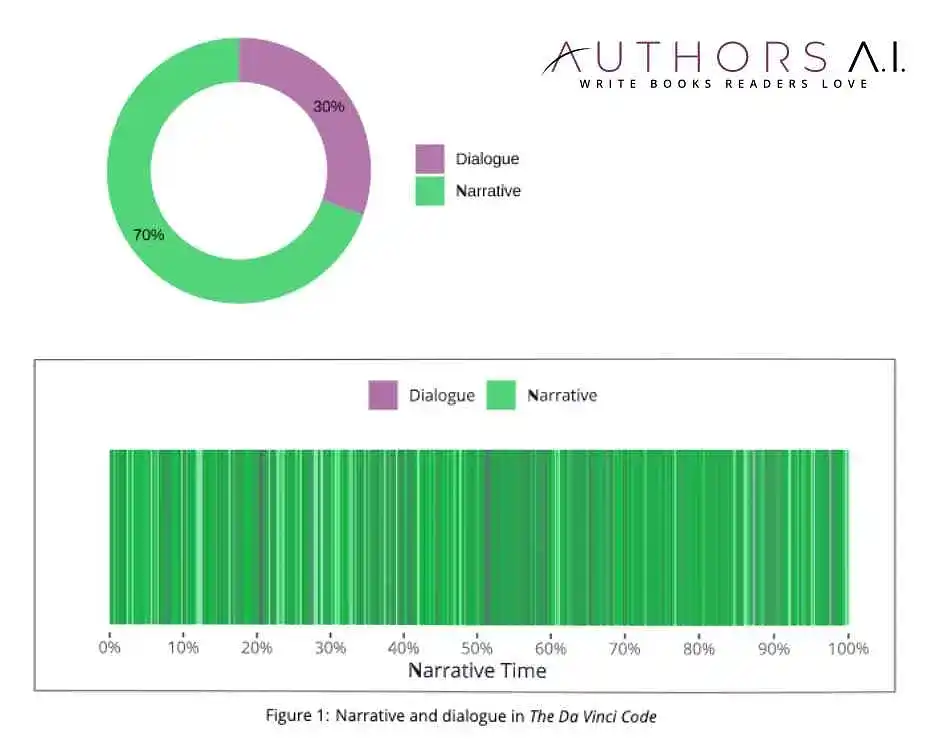
A sample analysis of the narrative and dialogue in The DaVinci Code.
✅ Pros:
-
Provides a comprehensive analysis of your manuscript, covering elements like plot, pacing, and character development.
-
Offers genre-specific feedback by comparing your work to bestsellers in your category.
-
Delivers reports quickly, allowing for efficient revisions.
❌ Cons:
-
Limited to one AI report per month in standard plan
-
Can feel formulaic or rigid in analysis
-
Not a replacement for a human editor
🎖️Best for: Writers who want clear insights into story structure and pacing, though it’s not a substitute for human editorial judgment. Want to try it out? You can claim a free report by entering REEDSYFREE at checkout. And for a 15% discount on a Marlowe Pro subscription, enter REEDSY15OFF when prompted at checkout.
16. Cliché Finder
💰 Pricing: Free- Unlimited access to the cliché detection tool.
💻 Compatibility: Web-based
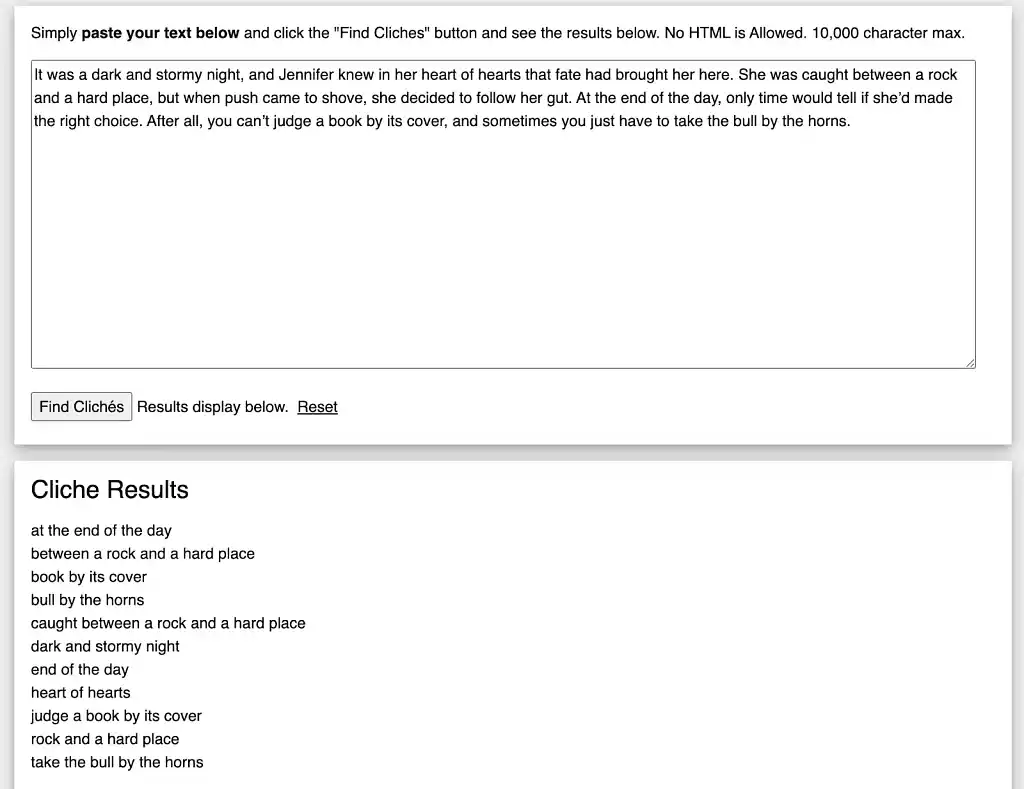
Cliché Finder is a free tool that helps writers identify and eliminate overused phrases in their manuscripts. By highlighting clichés, it helps authors swap them for more original expressions, keeping your manuscript fresh and engaging.
✅ Pros:
-
Free to use, making it accessible for all writers.
-
Easy to use; simply paste your text and identify clichés.
-
Helps improve the originality and quality of your writing.
❌ Cons:
-
No suggestions for alternatives
-
Basic interface without advanced editing tools
-
Web-only, no offline version
🎖️Best for:Writers who want a free and quick way to identify clichés and avoid overused expressions that can make their writing feel stale. Cliché Finder excels at simple cliché detection but doesn’t help you rephrase them.
17. Grammarly
💰 Pricing: Free (basic grammar) • Premium $30/mo, $144/yr (tone rewrites, plagiarism, AI prompts) • Business $15/member/mo (style guides, analytics, AI prompts)
💻Compatibility: Windows, Mac, iOS, Android, Web
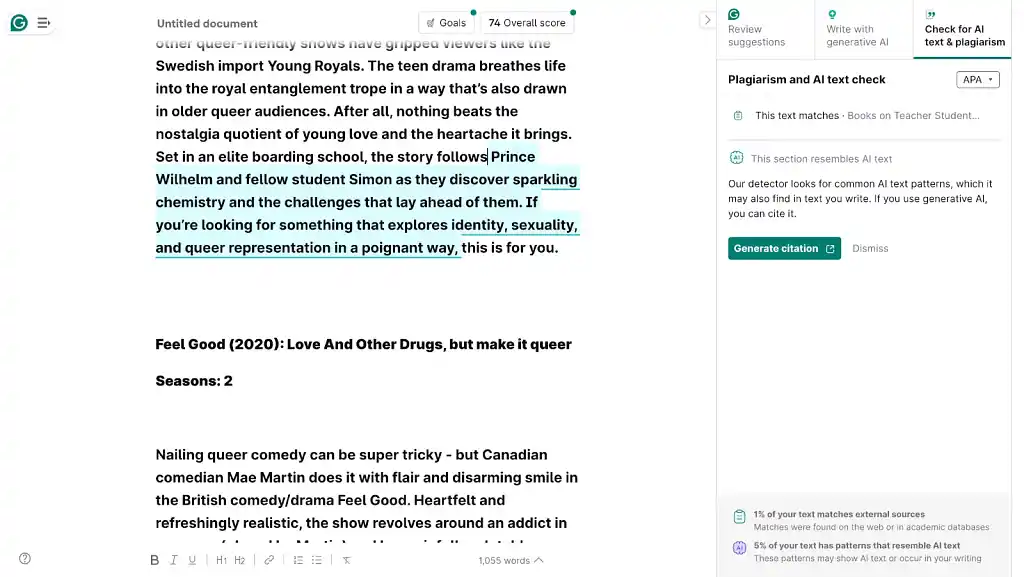
Grammarly essentially functions like the spell checker tool from Microsoft Word or Google Docs, but here’s the great part: it’s a plug-in that will work wherever you happen to write. That means Twitter, Gmail, Google Docs, Facebook — anywhere. Plus, it offers vocabulary or alternate word suggestions — for instance, it might suggest you replace “walking aimlessly,” with the word “wandering.” For a more in-depth analysis, check our full Grammarly review.
✅Pros:
-
Real-time grammar, spelling, and tone corrections
-
Vocabulary enhancement suggestions
-
Supports 5 languages: Spanish, French, Italian, German, and Portuguese
-
Browser and word processor integration
-
Plagiarism and AI checker
❌ Cons:
-
Limited understanding of context
-
High cost of premium features
-
Shift toward heavier AI features may not appeal to all
🎖️Best for: Creative writers and professionals who want consistent, real-time grammar and style suggestions across any writing platform. Its strengths lie in accuracy, ease of use, and broad integration.
18. ProWritingAid
💰 Pricing: Free (basic suggestions) • Premium $10/mo ($120/yr – unlimited edits) • Premium Pro $12/mo ($144/yr – advanced AI features)
💻 Compatibility: Windows, Mac, Web, Microsoft Word, Google Docs, Scrivener
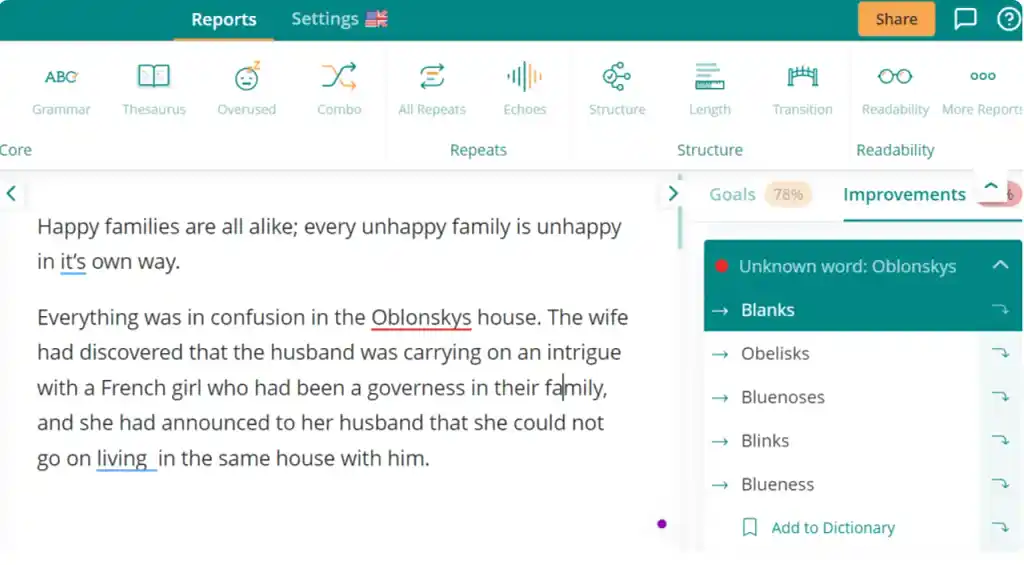
ProWritingAid is a tool you can install that will proofread and spell check your material for you, no matter where you’re writing. It will also offer suggestions to improve your overall language, outside of just grammatical technicalities. If you're keen on trying it out, you can claim 10% off via this special offer!
✅ Pros:
• In-depth reports on style, pacing, readability, and overused words
• Integrates with Word, Google Docs, Scrivener, and web browsers
• Unlimited edits with paid plans
• Offers useful writing style improvement suggestions
❌ Cons:
• Overwhelming number of suggestions and reports
• Cluttered interface can be distracting
• Most powerful features require a paid plan
🎖️Best for: Writers hunting for detailed, actionable insights into their writing’s style, structure, and readability, not just grammar corrections. ProWritingAid is great for writers aiming to polish their prose, though some may find the sheer volume of reports a bit much to process.
⚡ Productivity & Focus Tools
Alright, let’s kick things into high gear now. You know what you want to use to write, and your thoughts and ideas are concisely organized. If you’re finding it difficult to buckle down and get the job done (or struggle to write quickly or consistently), these resources will help you realize the famous Nike mantra: just do it.
19. OmmWriter
💰 Pricing: One-Time License (Gaia): ~US$9.99– Full access, no subscriptions. Optional Add-ons (“OmmBits”): small extra purchases for sound/music/backgrounds support
💻 Compatibility: Windows, Mac
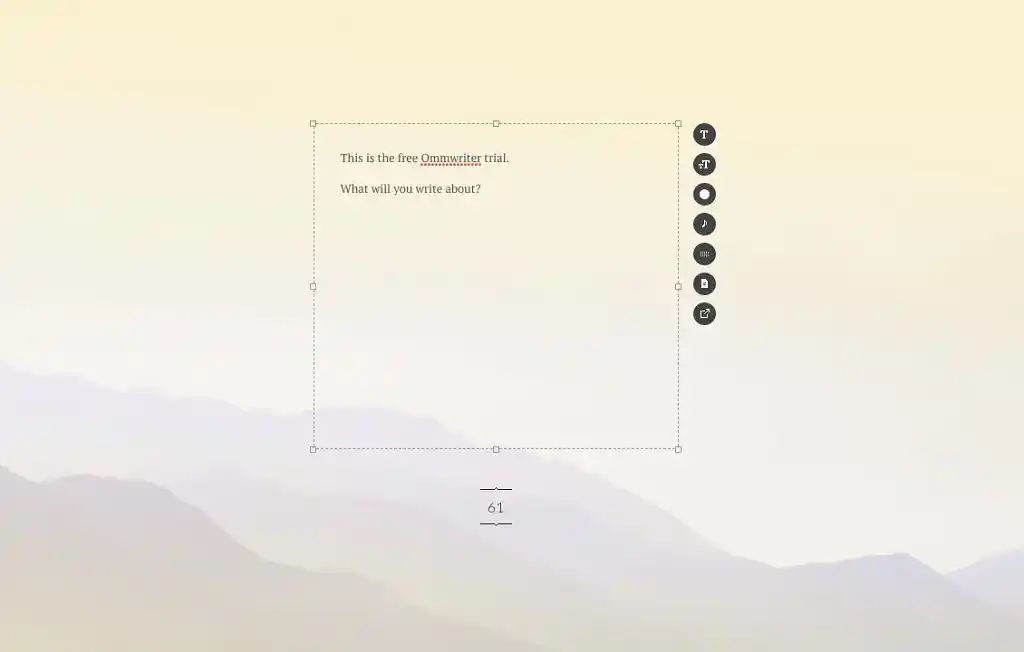
OmmWriter, soon to be Gaia, is for those moments when silence isn’t enough and setting counts more than speed. With soothing background sounds, soft keystroke noises, and minimalistic, full-screen writing spaces, it helps writers sink into concentration. Another feature of the new version is that you can save your document in .txt, .omm, .doc, docx formats and export it in .pdf and email 一 making it more useful than just a writing sandbox. That said, features are intentionally sparse. Power users may miss more robust tools or platform flexibility.
✅ Pros:
-
Immersive settings with natural backgrounds, music, and typing sounds
-
Full-screen mode that minimizes distractions
-
Save your document in .txt, .omm, .doc, docx formats and export it in .pdf and email
❌ Cons:
-
Sparse features set
-
Limited customization beyond aesthetics
-
Limited platform support
🎖️Best for: Writers who thrive in peaceful, aesthetically pleasing environments where writing feels more like a mindful experience than a task. OmmWriter stands out for its calming, distraction-free space but doesn’t offer advanced project management or flexibility.
20. Marinara New: Pomodoro® Assistant
💰 Pricing: Free - Full functionality, unlimited use – all timer modes included
💻 Compatibility: Web-based
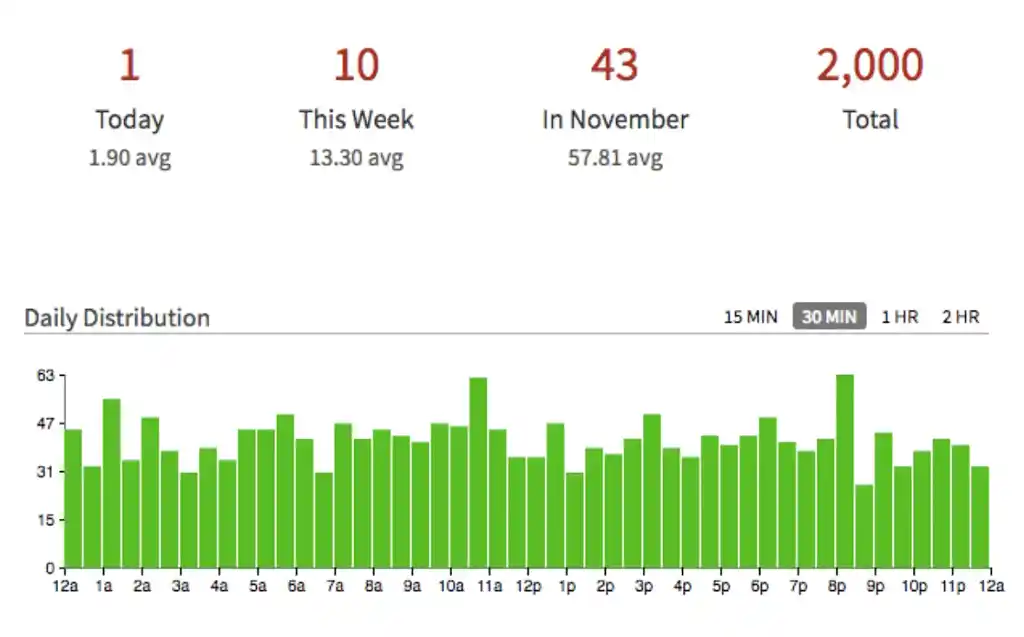
Marinara Timer makes the Pomodoro Technique easy to use online, with flexible modes if the standard 25/5 split doesn’t suit you. You can use preset Pomodoro intervals or set custom timers, depending on what focus flow you prefer. Since it’s browser-based and free, it’s lightweight and accessible — but because it’s free, there’s no offline version or premium support layer.
✅ Pros:
-
Adjust break intervals to suit your personal workflow.
-
Stay focused with a glanceable timer right in your browser.
-
Pomodoro history & stats let you track your progress and stay motivated.
-
Audio Reminders with 20+ Sounds – Pick a sound that energizes your workflow.
No cost, runs in browser so you don’t need to install anything
❌ Cons:
-
No offline version
-
Lacks integrations with writing apps or productivity tools
-
Limited advanced tracking features
🎖️Best for: Writers who want a lightweight, flexible Pomodoro timer that adapts to their writing rhythm. Marinara excels at simplicity and flexibility without locking you into preset intervals, though it doesn’t offer offline use or advanced task tracking.
21. Cold Turkey Blocker
💰 Pricing:Free (basic blocking) • Pro $29 one-time (advanced app blocking, scheduling)
💻 Compatibility: Windows, Mac, Web browsers
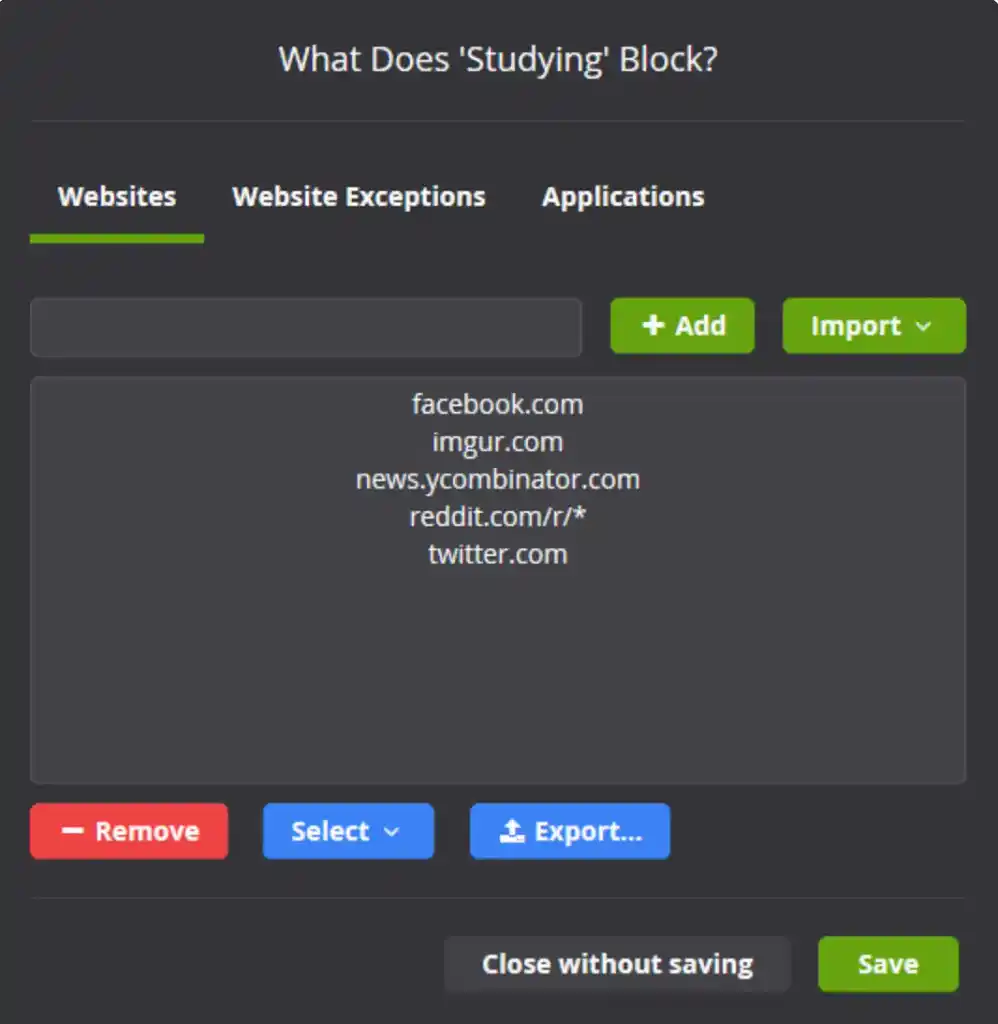
Cold Turkey is a powerful distraction blocker that helps writers stay focused by blocking websites or apps. While effective, its aggressive blocking can be a double-edged sword for those needing occasional access.
✅Pros:
-
Block websites or apps for total focus
-
Timed writing sessions to encourage productivity
-
Includes a free 7-day trial of all pro features
❌ Cons:
-
No flexibility to allow temporary access once blocking is active
-
Limited task management features
-
Pro version is a one-time fee but lacks ongoing updates
🎖️Best for: Writers who need a no-nonsense blocker to shut off distractions and force total focus. Cold Turkey is perfect for writers who benefit from extreme digital discipline but it may be too inflexible if occasional access is required.
🖥️ Workspace & Physical Tools
Besides having the right tool, creating an environment that’s appealing — and conducive! — to write in can make the whole process more enjoyable, and encourage you to get the job done.
Here are a few physical tools to look over if you’re thinking of sprucing up your workspace.
22. Ergonomic desk setups
💰Pricing: Varies
💻 Compatibility: Hardworking vertebrates
As more and more of the workforce moves to sedentary jobs where the majority of 9am to 5pm is spent hunched over in front of a computer, a growing number of sitting-related health injuries have been occurring.

Source: MOFT - Amazon
That’s why looking into more ergonomically friendly desk setups is a good idea for writers who spend long hours at the computer — or writing in a notebook. This could be something like MOFT’s origami-inspired laptop stand ($25), a back cushion pillow ($40), or even just a number of textbooks piled under your desktop so that your screen is eye level!
✅ Pros:
• Improves posture and reduces physical strain
• Customizable options (standing desk, ergonomic chair, monitor riser)
• Helps prevent long-term health issues
❌ Cons:
• Can be expensive depending on setup
• Takes up extra space
🎖️Best for: Writers who don’t want their writing gains to come at the cost of growing back pains!
23. Computer Glasses
💰Pricing: Varies; good quality glasses start at ~$100
💻 Compatibility: People who regularly have to look at screens (yep, that's you).
 Source: Pixel Eyewear
Writers are all familiar with computer-caused eyestrain. Because you blink far less when looking at a screen than you do otherwise, computer vision syndrome (CVS) is a condition people have been developing due to long stretches of staring at a computer.
One way to help alleviate this — other than just making sure to take time looking away from your computer — is to invest in some computer glasses. They typically come in blue or amber shades, and are coated with a protective coating.
There are several brands you can check out, such as Pixel Eyewear or Felix Gray (both lie in the ~$100 range).
✅ Pros:
• Blue-light or amber tint reduces eye strain
• Relatively affordable and widely available
• Lightweight and easy to wear for long periods
❌ Cons:
• Not effective for everyone
• May cause slight color distortion
• Doesn’t replace the need for breaks or proper lighting
🎖️Best for: People who struggle with itchy or tired eyes after long writing sessions.
24. Neo Smartpen N2
💰 Pricing: $149–$265 – Full Neo Smartpen hardware
💻 Compatibility: iOS, Android, Evernote, Google Drive, OneNote
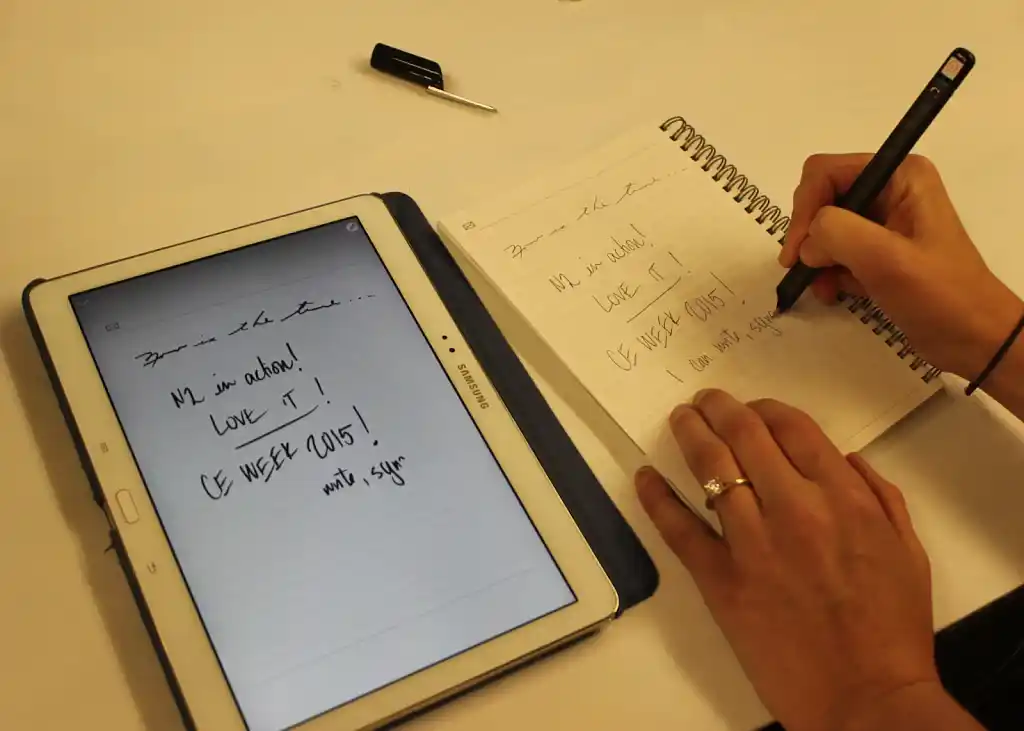
Source: Ben Coxworth/Gizmag.com
Neo Smartpen’s N2 is perfect for writers who love the feel of pen on paper but don’t want to deal with endless scanning or typing later. It captures your handwriting in real-time and converts it into digital text, syncing seamlessly with apps like Evernote. You get the tactile satisfaction of writing by hand without sacrificing digital convenience. That said, the upfront cost can be a barrier, and it’s best suited for those who’ll use it regularly enough to justify the price.
✅ Pros:
• Real-time handwriting capture and digital transcription
• Syncs with Evernote, Google Drive, OneNote
• Portable and easy to use on the go
❌ Cons:
• High upfront cost
• May not work on all writing surfaces
• Occasional syncing issues reported
🎖️ Best for: Writers who prefer handwritten notes but want them automatically converted into digital text. Check it out if you’ve ever felt envy at Rita Skeeter’s Quick-Quotes Quill in Harry Potter and the Goblet of Fire.
25. Soundcore Work
💰 Pricing: $159 (device) • $15.99/mo (AI transcription, highlights, suggested to-dos)
💻 Compatibility: iOS, Android, Web
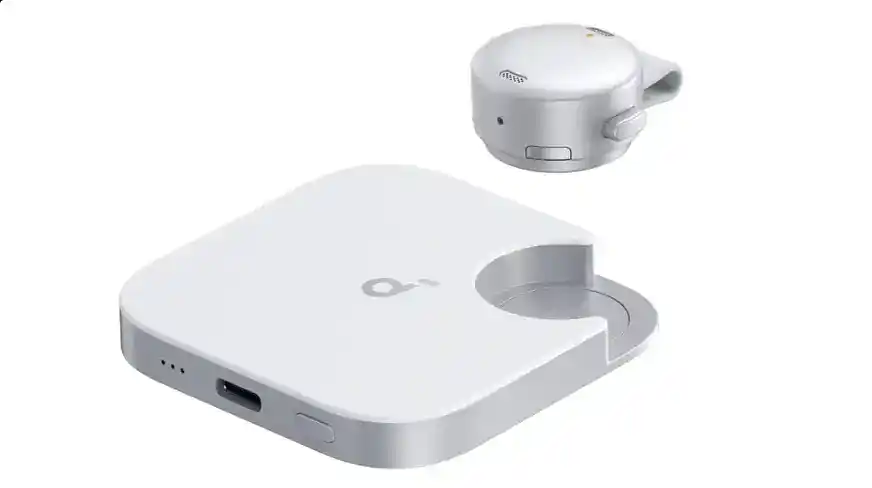
Source: Sound Guys
Soundcore Work is a compact AI voice recorder built for writers who want to capture ideas, interviews, or quick notes on the go. It offers real-time transcription, speaker identification, and highlights key passages, all with 97% accuracy across 100+ languages. Lightweight and portable, it’s great for a hands-free, audio-first workflow—but its more advanced AI features require a subscription, and it isn’t designed for desktop-first editing.
✅ Pros:
• Real-time transcription with speaker identification
• Automatically highlights key passages
• Compact, portable, long-lasting battery
❌ Cons:
• Advanced AI features locked behind subscription
• Not designed for desktop editing
• Occasional transcription errors in noisy environments
🎖️ Best for: Writers who prefer speaking their ideas and need instant transcription without typing or later manual transcription.
Write Smarter, Not Harder
Writing is as much about finding your flow as it is about putting words on the page. From distraction-free apps to organizational powerhouses, there’s no shortage of tools to help writers stay creative and productive. No matter your process, you’re sure to find something here that’ll keep your creativity flowing…and even make the writing journey a little more joyful!
All writing app listicles, reviews, and comparisons on Reedsy:
-
Book writing software (Listicle)
-
Collaborative writing tools (Listicle)
-
Scrivener alternatives (Listicle)
-
Grammarly alternatives (Listicle)
-
Plagiarism checkers (Listicle)
-
Atticus (Review)
-
Campfire (Review)
-
Dabble (Review)
-
Grammarly (Review)
-
Hemingway (Review)
-
Novlr (Review)
-
Obsidian (Review)
-
Plottr (Review)
-
ProWritingAid (Review)
-
Scrivener (Review)
-
Squibler (Review)
-
Sudowrite (Review)
-
Vellum (Review)
- Ulysses (Review)
-
Dabble vs. Scrivener (Comparison)
-
Reedsy Studio vs. Atticus vs. Scrivener (Comparison)
-
Scrivener vs. Word (Comparison)