
Posted on September 10, 2025 13:39
Dabble Review: What Authors Should Know in 2026
Drafting a novel is hard enough without struggling to master complex writing software. Dabble pitches itself as a simple solution: a cloud-based writing tool built with novelists in mind.
Today, the app has carved out a niche as a distraction-free drafting space. But is Dabble really that good? We took the Premium plan for a spin to check out all the features on offer. In this Dabble writing software review, we’ll look closely at the tool and see how it stacks up against other popular options like Atticus and Studio.
Before diving into the details, here’s a quick overview:
- 🎂 Origin: Launched in 2017 by Jacob Wright
- 💸 Price: Subscription model — $9/month basic, $19/month standard, $29/month premium, $699 for a lifetime license (14-day free trial)
- 💻 Compatibility: Works on Windows, Mac, Linux, iOS & Android
- 🌐 Access: 100% cloud-based with offline mode
- 👌 Best for: Writers seeking distraction-free drafting
|
✅ Pros |
❌ Cons |
|
|
User interface (2/5)

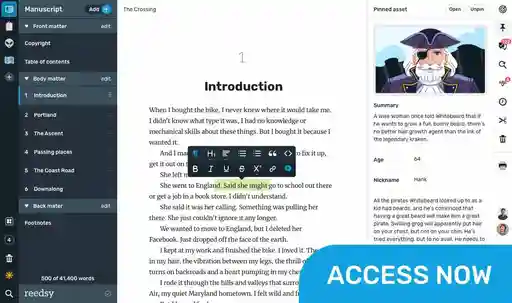
The design philosophy here is clear: fewer buttons, fewer menus, more writing. Your manuscript and notes are all accessible from a clean sidebar. Reordering chapters or scenes is as simple as drag-and-drop.
This is something that Scrivener also offers, but with a steeper learning curve. Dabble’s minimalist layout means you sometimes have to hover to see options — which is a pro if you want to avoid getting distracted. However, for those seeking inspiration from a more sophisticated, professional writing software, Dabble is not the tool for you. The aesthetic may be intentionally sparse, but it’s sparse nonetheless and the UI feels quite dated.

Reedsy Studio offers an interface that is similarly distraction-free, but which looks a bit more polished and also handles professional typesetting. That means fewer exports — and less switching between apps later on.
Offline mode
Dabble’s cloud-first model makes cross-device writing easy. You can draft on your laptop, review on your tablet, and pick up where you left off on your phone. Offline editing works too, with auto-sync once you reconnect. I tested it by disconnecting Wi-Fi and starting a new project. Dabble let me write offline and automatically synced my work as soon as I reconnected, even on my mobile device.
Like Atticus, Dabble’s offline mode saves locally and then syncs once you’re back online, which is pretty reliable — if you have the native app on your devices. If you’re primarily working in the web version, though, then offline sync can be a little more precarious.
Dabble acknowledges this with a rather ominous warning about exporting your work often when writing in their web app:
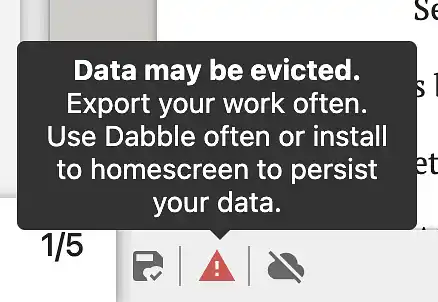
But all in all, for authors who draft across multiple devices, Dabble’s flexibility is a plus. It may be especially useful for writers who often work “on the go” — but if this describes you, make sure you have the desktop app installed for more dependable backups.
Book writing & editing (3/5)
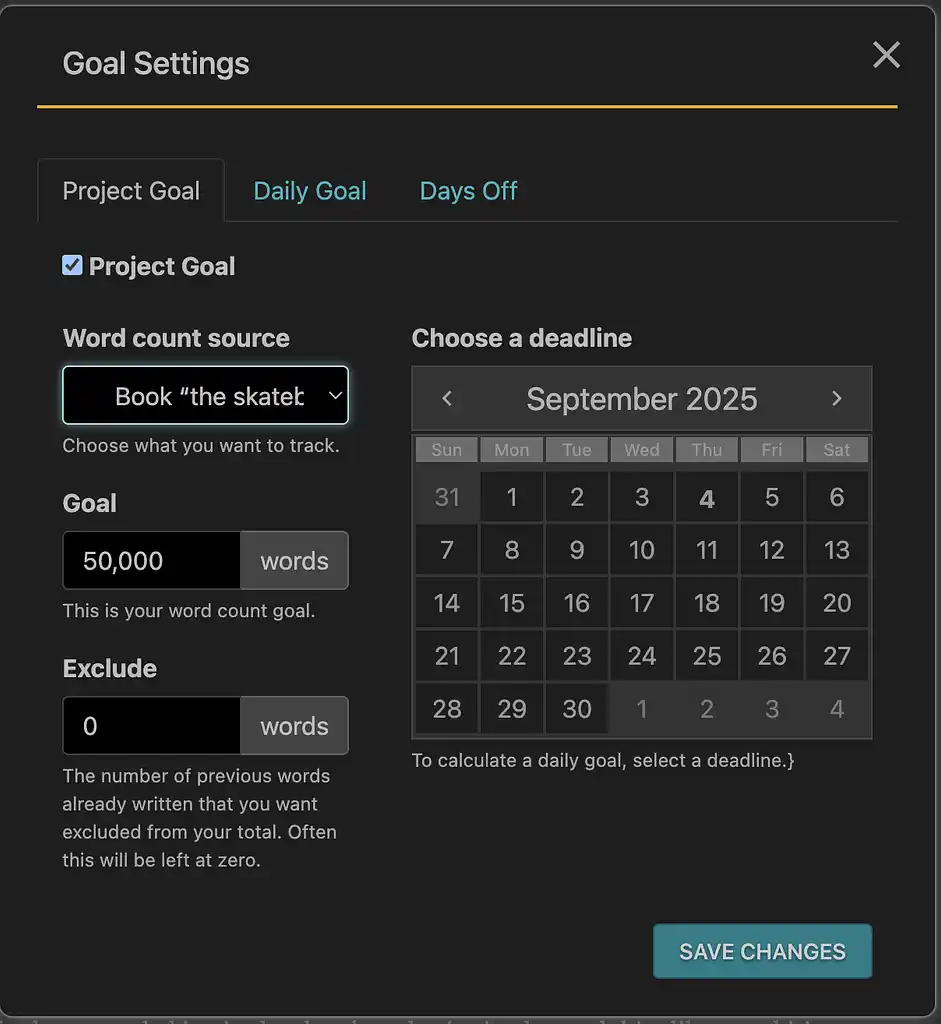
Once you’ve downloaded the Dabble writing app, autosave and syncing make it nearly impossible to lose work — something you’re sure to appreciate during a midnight marathon writing session! It also has a nifty goal-setting feature that lets you create project goals, daily goals, and more.
Manuscript polishing
As for Dabble’s built-in editing tools, it does include grammar and style checking via ProWritingAid, but the functionality is far from perfect. I tried running the passage below — which, as you’ll see, is a veritable crime against English. The infamous “Teh” slipped by unflagged, and my mangled “dosnt” doesn’t even get an accurate suggestion.
My Grammarly extension, by comparison, caught it with ease and offered more thorough corrections. So if you do want to check spelling and grammar within Dabble, I’d suggest using a third-party tool.

Premium extras
All that said, the Dabble writing software does have some helpful and interesting extras, especially in their Premium version. One of these is the “Read to Me” feature — which can be voiced by your character of choice. You can choose from a generous selection of voices, ranging from standard US and UK accents to quirky options like an alien called Zarvox. The speed is adjustable, and while the voice sounds a bit robotic and stilted, it works just fine for hearing your writing aloud and fixing awkward phrasing.
Finally, the text formatting is fairly basic compared to something like Atticus’ text decoration options. This is one of Dabble’s clear limitations (and more on the limitations of its layout formatting below).
Plotting & organization (4/5)
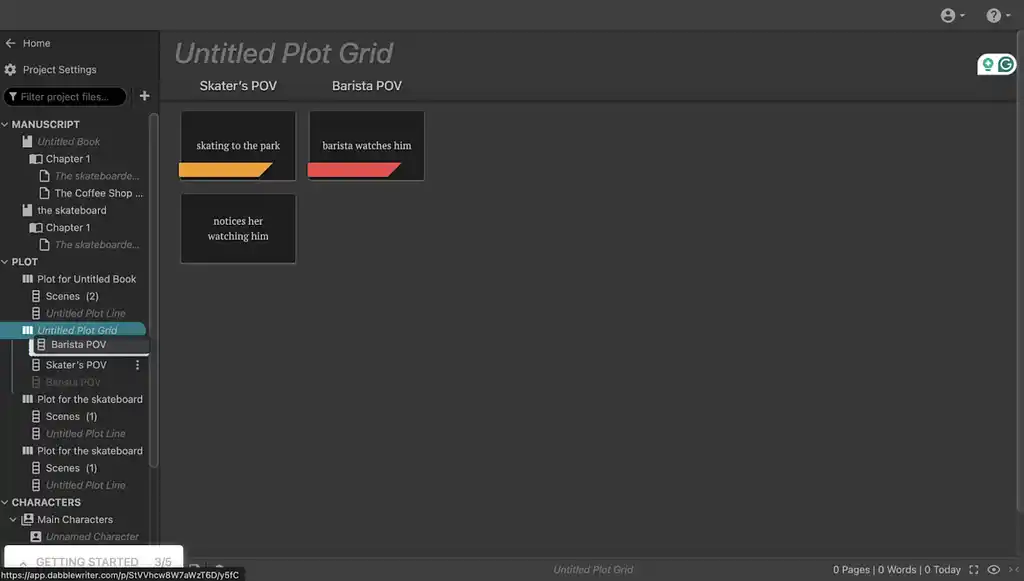
Plotting is where Dabble shines. The Plot Grid (available with Dabble Standard & Premium) lets you visually map storylines, timelines, and POVs. Imagine Scrivener’s corkboard, but more structured and easier to manage.
I tested a dual-POV outline, and the grid made it easy to color-code character arcs. Compared to Scrivener’s corkboard, it felt less cluttered:
Story cards and notes
Story Notes add another layer, letting you keep character sheets, world-building details, and research neatly tied to your manuscript. The Templates option can also come in handy when you want to quickly add a new… well, anything really! As you’ll see below, these options include Add New Scene, Add New Character, and more.

No pre-set templates
That said, while the Dabble writing tool offers plenty of plotting features, it doesn’t provide much guidance beyond the basics. For instance, there are no established templates for specific planning methods, story structures, or character types — only blank pages for you to fill out. For authors who want a bit more structure or inspiration when mapping out their story, that can feel like a missing piece.
Collaboration & sharing (3/5)
Dabble’s Premium version supports co-authoring, comments, and live updates. This makes it quite useful for small critique groups or writing partners. Still, it doesn’t replace the free, open-ended sharing of Google Docs. Everything happens within Dabble’s ecosystem, which may feel restrictive if you rely on casual beta readers.

If your co-author isn’t subscribed, they can only view your project in read-only mode. With a subscription, though, they’ll be able to see the plot and edit the manuscript — but you get only up to five collaborators per project, even with Dabble Premium.
By contrast, Reedsy Studio lets you invite editors, designers, or other contributors directly into your project for free, with no extra fees or workarounds needed. This makes collaboration a lot smoother once you’re past the drafting stage.
Book formatting (2/5)
Exporting is limited to .docx or text files, which works perfectly fine if you’re moving into a dedicated formatting tool like Atticus, Vellum, or Reedsy Studio.

But if you’re hoping to go from draft to publish-ready file in one app, Dabble isn’t it (no print-ready PDFs or EPUBs.). The formatting preferences are pretty basic too, with not much support for advanced formatting like images, footnotes, tables, or custom styles. And no layout templates either, like you get with the tools mentioned above.
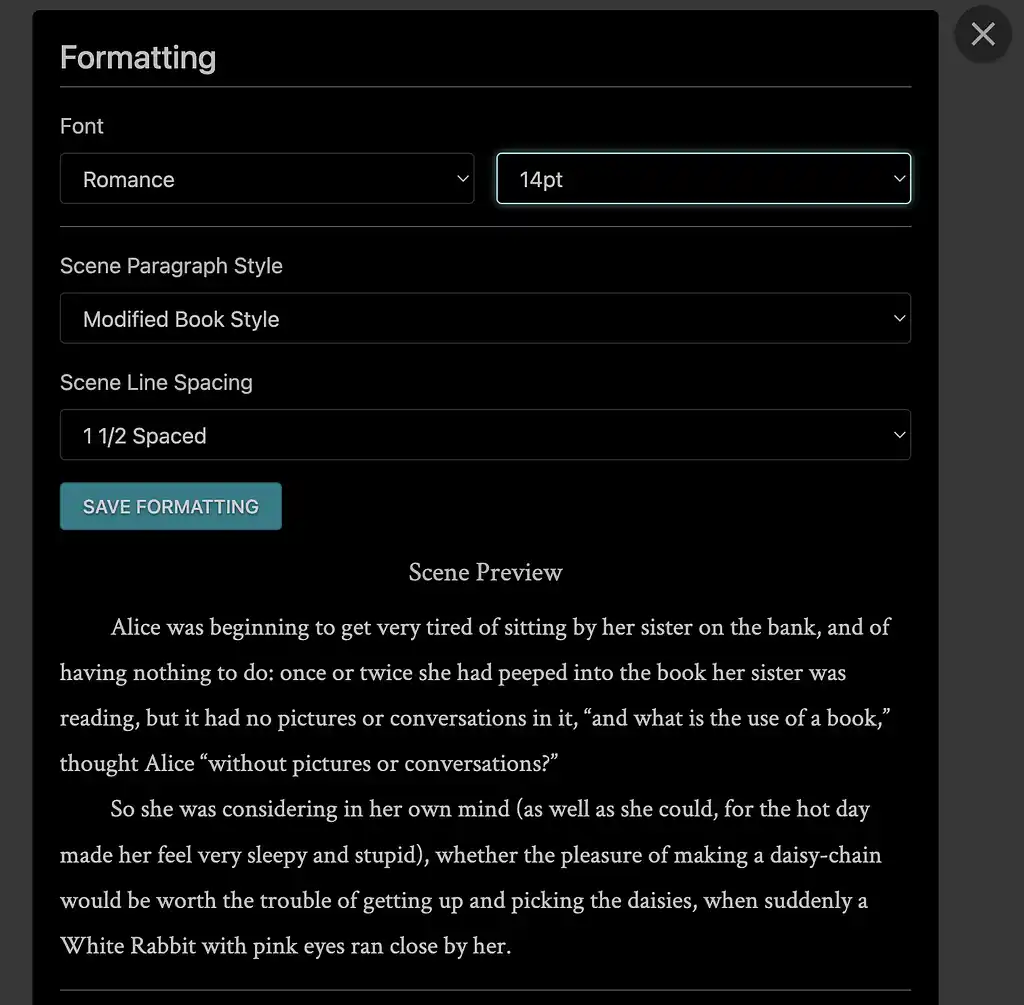
This isn’t exactly a flaw, but a conscious trade-off — the tool is built for writing and organizing, not typesetting. But if you’d like your draft to transition directly into a publish-ready format, Studio eliminates that extra stage entirely. It’s designed to let you focus on writing while automatically formatting your book to professional standards — for free.
Pricing (3/5)
The Dabble writing tool runs on subscriptions:
- $9/month Basic
- $19/month Standard
- $29/month Premium

Annual plans lower the cost, and you can get a lifetime license for $699. Compared to Scrivener’s $59 one-off fee or Atticus’s $147 lifetime access, however, Dabble can feel pricey in the long run.
Remember that this Dabble review dives into the Premium plan, so you’d be paying a pretty penny for all of these bells and whistles that come with it. That said, the lower initial entry point might make it more approachable for new authors who aren’t ready to commit to a big upfront purchase.
Final verdict: should you dabble in Dabble?
Overall, the Dabble writing tool earns a decent 2.5/5 from us. It’s well-suited for writers who want a clean, cloud-based drafting environment with pretty good plotting support.
But is it the one app to rule them all? Not quite. If you’re after advanced formatting, lifetime pricing, or heavy research database integration, you’ll likely outgrow it. Still, for those who find Google Docs too bare-bones and Scrivener too complex, Dabble’s writing software sits comfortably in the middle. Writers looking for a workspace that also handles formatting, professional collaboration, and publishing-ready files may find Reedsy Studio a more complete option.
Verdict: ⭐️⭐️⭐️ (2.5/5)
All writing app listicles, reviews, and comparisons on Reedsy:
-
Book writing software (Listicle)
-
Writing tools (Listicle)
-
Collaborative writing tools (Listicle)
-
Scrivener alternatives (Listicle)
-
Grammarly alternatives (Listicle)
-
Plagiarism checkers (Listicle)
-
Atticus (Review)
-
Campfire (Review)
-
Grammarly (Review)
-
Hemingway (Review)
-
Novlr (Review)
-
Obsidian (Review)
-
Plottr (Review)
-
ProWritingAid (Review)
-
Scrivener (Review)
-
Squibler (Review)
-
Sudowrite (Review)
-
Vellum (Review)
- Ulysses (Review)
-
Dabble vs. Scrivener (Comparison)
-
Reedsy Studio vs. Atticus vs. Scrivener (Comparison)
-
Scrivener vs. Word (Comparison)
