TRY OUR FREE APP

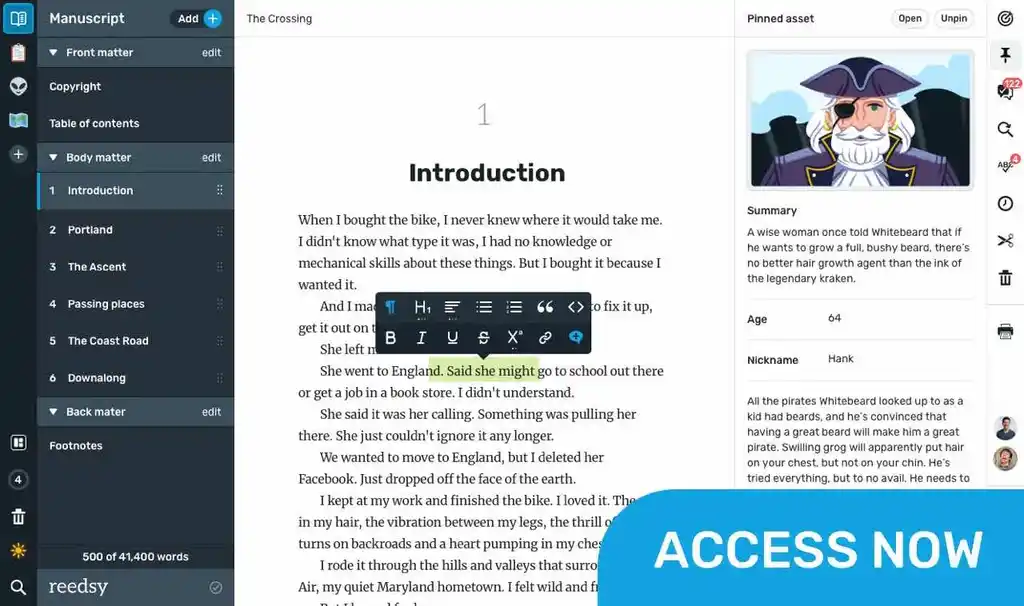
Write your book in Reedsy Studio. Try the beloved writing app for free today.

Craft your masterpiece in Reedsy Studio

Plan, write, edit, and format your book in our free app made for authors.

DIRECTORY

Best Writing Apps for Mac

Showing 69 writing apps that match your search.

Diarly is built for the best journaling experience. With every feature you will need and a beautiful interface, starting a journal has never been so simple.

Platforms: Mac, iPhone, iPad

Best for: Note-taking and Journal

Website: https://diarly.app/

Base price:

$2.00 monthly

Premium price:

Built-in gallery and maps

Timeline

Notes

Custom fonts and templates

★★★★ Performance

★★★★ Features

★★★ Accessibility

★★★★ Value

Also rated 4.8 on the App Store

Bear is a beautiful, flexible writing app for crafting notes and prose.

Platforms: Mac, iPhone, iPad

Best for: Note-taking, Drafting, Book, Story, Essay, Blog, and Free

Website: https://bear.app/

Base price:

Free

Premium price:

$14.99 yearly

Focus & dark mode

Encryption

Convert into PDF and Word Docs

Cross note links & tags

★★★★ Performance

★★★ Features

★★★ Accessibility

★★★ Value

Also rated 4.3 on the App Store

Manuskript is a perfect tool for those writer who like to organize and plan everything before writing. The snowflake method can help you grow your idea into a book, by leading you step by step and asking you questions to go deeper.

Platforms: Mac, Windows, PC

Best for: Outlining, Story, Book, and Free

Website: https://www.theologeek.ch/manuskript/

Base price:

Free

Premium price:

Index cards

Outliner

Frequency analyzer

★★★ Performance

★★★ Features

★★★★ Accessibility

★★★★ Value

Craft your masterpiece in Reedsy Studio

Plan, write, edit, and format your book in our free app made for authors.

Learn more about Reedsy Studio

Werdsmith turns your iPhone, iPad, Mac and Apple Watch into a powerful writing studio that inspires you to write. With features to motivate you and help you break through writer‘s block, you‘ll find yourself writing more than ever.

Platforms: iPad, Mac, iPhone

Best for: Drafting, Book, Story, Poetry, and Free

Website: https://werdsmith.com/

Base price:

Free

Premium price:

$4.99 monthly

Syncs across IOS devices

Sets writing goals

Minimalist interface

★★★★★ Performance

★★★★ Features

★★ Accessibility

★★★★ Value

Also rated 4.7 on the App Store

Super-clean writing space with a lot of configurability that stays out of sight when you don’t need it.

Platforms: Mac, iPhone, iPad

Best for: Note-taking, Drafting, Book, Story, Essay, Blog, and Free

Website: https://papereditor.app/

Base price:

Free

Premium price:

Plain-text writing environment

Syncs with iCloud

Works across Apple devices

★★★★★ Performance

★★ Features

★★★ Accessibility

★★★★ Value

Also rated 4.2 on the App Store

Create documents, make impact. When your work needs to wow, Craft gives you the tools to make it magnificent.

Platforms: Mac, iPhone, iPad, Windows, Online, PC

Best for: Note-taking, Drafting, Journal, Essay, Blog, and Free

Website: https://www.craft.do/

Base price:

Free

Premium price:

$5.00 monthly

AI writing assistant

Document structuring

Customizable

Collaboration

★★★★ Performance

★★★★ Features

★★★★★ Accessibility

★★★★ Value

Also rated 4.9 on the App Store

Create beautiful handwritten notes, sketch your ideas, record audio, and organize your notes like never before.

Platforms: Mac, iPhone, iPad, Android

Best for: Note-taking, Journal, Book, Story, Essay, Poetry, and Blog

Website: https://www.noteshelf.net/

Base price:

$9.99 one-time payment

Premium price:

Create your own diary

Search your handwritten notes

Syncs across devices

★★★ Performance

★★★★★ Features

★★★★ Accessibility

★★★ Value

Also rated 4.4 on the App Store

Stuck in front of a blank page? Need a boost of inspiration? Join us to overcome blocks and push your creativity to the max. With Writing Challenge, you will brainstorm new and fresh ideas and embrace freewriting in the funniest way ever.

Platforms: iPhone, iPad, Mac, Android

Best for: Brainstorming, Story, Book, and Poetry

Website: https://www.writingchallengeapp.com/

Base price:

$1.99 one-time payment

Premium price:

Creative idea generators

Daily writing challenges

Widgets and reminders

★★★ Performance

★★★★ Features

★★★ Accessibility

★★★ Value

Also rated 4.4 on the App Store

Notes is the best place to jot down quick thoughts or to save longer notes filled with checklists, images, web links, scanned documents, handwritten notes, or sketches. And with iCloud, it's easy to keep all your devices in sync, so you’ll always have your notes with you.

Platforms: Mac, iPhone, iPad

Best for: Note-taking, Journal, Book, Story, Essay, Poetry, Blog, and Free

Website: https://apps.apple.com/us/app/notes/id1110145109

Base price:

Free

Premium price:

Create checklists

Add tables

Search in texts and scanned documents

★★★ Performance

★★★ Features

★★★ Accessibility

★★★ Value

Also rated 3.3 on the App Store

Pages is a powerful word processor that lets you create stunning documents, and comes included with most Apple devices. And with real-time collaboration, your team can work together from anywhere, whether they’re on Mac, iPad, iPhone, or a PC.

Platforms: iPad, Mac, iPhone

Best for: Drafting, Book, Essay, Journal, Poetry, Story, Blog, and Free

Website: https://www.apple.com/pages/

Base price:

Free

Premium price:

Full feature word processor

Track changes

Syncs across devices

Offline collaberation

★★★ Performance

★★★★ Features

★★★ Accessibility

★★★★ Value

Also rated 3.6 on the App Store

Campfire is a versatile writing tool organized into modules, each one offering a different type of story element you can create. Keep track of each character's motives, history, eye color, and more. The Characters Module gives you an easy way to make quick notes or detailed character sheets about anyone in your story. Upload your map to the Maps Module, add pins to integrate it with the rest of your story, and nest other maps to keep things organized.

Platforms: Mac, Windows, Online, PC

Best for: Outlining, Drafting, Book, Story, and Free

Website: https://www.campfirewriting.com/

Base price:

Free

Premium price:

$2.00 monthly

Character Modules & Maps Modules

Flexible panel system

Create customizable DIY themes

★★★ Performance

★★★★ Features

★★★★★ Accessibility

★★★★ Value

Also rated 4.0 on Reedsy

Hanx Writer expands recreating the permanence of a typewriter with the convenience of your iPad and iPhone. As ever, the report of SHOOK SHOOK and KLOCK-KLOCK is mated with the luxuries of the DELETE key.

Platforms: Mac, iPhone, iPad

Best for: Drafting, Book, Story, Poetry, and Free

Website: http://hanxwriter.com/

Base price:

Free

Premium price:

Custom typewriter fonts

Authentic typewriter sounds

Print and manage multiple documents

★★★★ Performance

★★★★ Features

★★★★★ Accessibility

★★★★ Value

Also rated 3.7 on the App Store

What makes a good writing app?

Put simply, what makes a writing app good for you will depend on the kind of writer that you are. 

  • If you’re an author, you might be interested in a writing app with outlining, planning, and formatting functionalities.
  • If you’re a student, you’re probably in the market for a writing app that blocks out distractions while you’re writing.
  • If you’re a screenwriter, you’ll want a writing app that’s specifically dedicated to writing screenplays.

Or, if you’re none of the above, worry not: that’s why we built this directory of writing apps. Whatever you need, we’ve gathered the outstanding writing apps of 2026 across multiple categories (drafting, editing, note-taking, etc) and platforms (Android, iOS, online browsers, etc) in one place. Feel free to use the filters to make your quest for the perfect writing app even easier!

The best writing apps this year

We can now put an end to the age-old debate of which writing app is best: Microsoft Word vs. Google Docs

The answer, of course, is neither! Hopefully, this directory will point you towards a much better match that actually fulfills your writing needs. We objectively evaluated each writing app based on four metrics.

  • Performance: How seamlessly does the writing app do what it’s purported to do? How good is the user experience, from top to bottom?
  • Features: How many bells and whistles are built into the app to augment its use?
  • Accessibility: Is it widely available on many different operating platforms (e.g. iOS, Windows, mobile, desktop, etc)?
  • Value: Is it worth the cost that it would take to download it?

Here are some general recommendations to give you a headstart.

The best writing app for authors

If you’ve been searching for an all-in-one outlining, writing, formatting, and typesetting tool, look no further than Reedsy Studio. Used by over 50,000 authors every month, it’s publishing’s most trusted companion to take them from a first draft to a professionally exported manuscript.

💰 Price:  Free

🚉 Runs on: Web

The best writing app for note-takers

Evernote is the king of written organization. In addition to its free organizational templates, Evernote also gives you impressive tagging capabilities, an omnipresent Web Clipper, and the ability to share notes with collaborators, so that you’ll never forget anything again.

💰 Price:  Free basic plan, $4.99/month for premium

🚉 Runs on: Mac, iOS, Windows, and Android

The best writing app for screenwriters

Along with standard scriptwriting features, Final Draft enables you to measure character traits using its inclusivity analysis feature, and tweak your “beat board” until you find your perfect arrangement. And when you’re ready to bring in editors, you can all work simultaneously in real time.

💰 Price: Free trial for 30 days, $249.99 license fee

🚉 Runs on: Mac, iOS, and Windows

I’ve found the perfect writing app. What next?

Congratulations! Now the fun part begins: actually writing the project that you’ve got in mind.

For authors, this means that you have a long and exciting road ahead. In addition to a writing app, we recommend that you arm yourself with some writing knowledge before you embark on it: whether it’s an understanding of story structure or careful thought put into your character creation, all of it can help you realize your goal of a novel.

If you don’t know where to start, check out the list of free resources below. Good luck, and happy writing!

Free online materials

Bring your stories to life

Our free writing app lets you set writing goals and track your progress, so you can finally write that book!