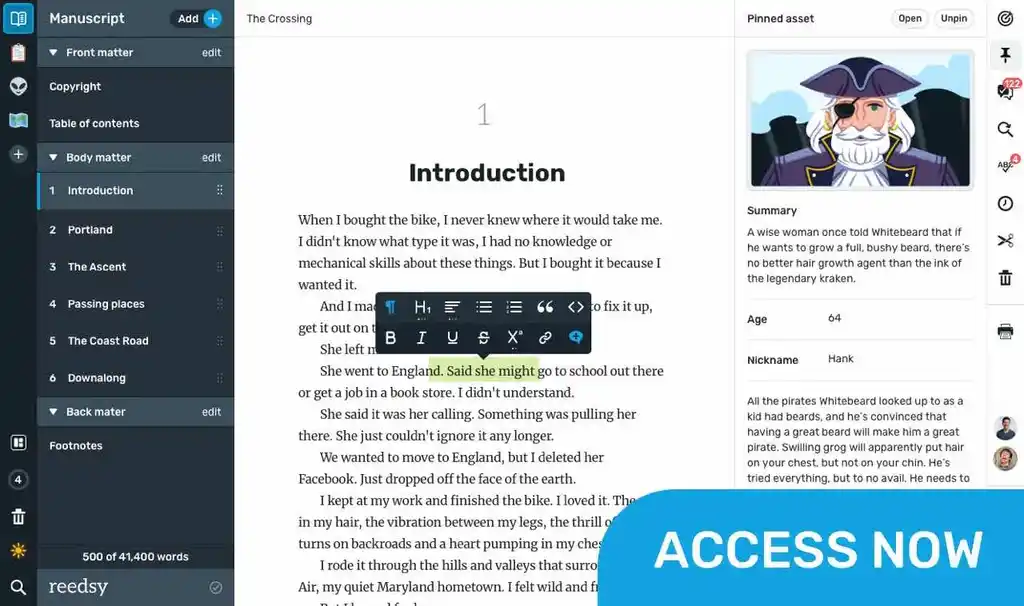
TRY OUR FREE APP

Write your book in Reedsy Studio. Try the beloved writing app for free today.

Craft your masterpiece in Reedsy Studio

Plan, write, edit, and format your book in our free app made for authors.

DIRECTORY

Best Writing Apps for Android

Showing 42 writing apps that match your search.

The human brain is non-linear: we jump from idea to idea, all the time. Your second brain should work the same. In Obsidian, making and following connections is frictionless. Tend to your notes like a gardener; at the end of the day, sit back and marvel at your own knowledge graph.

Platforms: Windows, Mac, iPhone, iPad, Android, PC

Best for: Note-taking, Outlining, Journal, Book, Story, Essay, Poetry, Blog, and Free

Website: https://obsidian.md/

Base price:

Free

Premium price:

$5.00 one-time payment

Link pages

Graph view

Customizable with backlinked notes

Performance

Features

Accessibility

Value

Also rated 4.0 on TechRadar

yWriter is a word processor which breaks your novel into chapters and scenes, helping you keep track of your work while leaving your mind free to create. yWriter was designed by an author, not a salesman!

Platforms: Windows, Android, iPhone, iPad, PC

Best for: Drafting, Book, Story, and Free

Website: http://www.spacejock.com/yWriter7.html

Base price:

Free

Premium price:

Track progress

Organize by scenes and chapters

Storyboard view

★★★ Performance

★★★ Features

★★★★★ Accessibility

★★★★★ Value

Also rated 3.5 on PC Magazine

Zoho Writer is a fully-featured word processor on the cloud, designed for collaborative work that gives you everything you need to create powerful documents. With a clean UI, intuitive interface and document modes, it introduces you to a new way of writing.

Platforms: Android, Windows, PC, iPad, iPhone

Best for: Drafting, Book, Essay, Journal, Poetry, Story, Blog, and Free

Website: https://www.zoho.com/writer/

Base price:

Free

Premium price:

Focus mode & Night mode

Auto save

An AI-powered writing assistant

Hundreds of templates

★★★★★ Performance

★★★★ Features

★★★★★ Accessibility

★★★★ Value

Also rated 3.4 on Google Play

Craft your masterpiece in Reedsy Studio

Plan, write, edit, and format your book in our free app made for authors.

Learn more about Reedsy Studio

Lists for Writers is a great addition to any writer’s toolbox. Helpful to both novice and expert writers alike, this app delivers list after list of prompts and ideas for your brainstorming sessions: names, character traits, plot lines, occupations, obsessions, action verbs, and much more!

Platforms: iPhone, iPad, Android

Best for: Note-taking, Outlining, Drafting, Book, Story, and Essay

Website: https://thinkamingo.com/lists-for-writers/

Base price:

$2.99 one-time payment

Premium price:

Easily navigable

Dozens of lists for settings and names

★★★★ Performance

★★ Features

★★★ Accessibility

★★★ Value

Also rated 4.7 on the App Store

Dropbox Paper is more than a doc — it’s a co-editing tool that brings creation and coordination together in one place.

Platforms: Online, Android, iPhone, iPad, Windows, Chrome, PC

Best for: Note-taking, Essay, Blog, and Free

Website: https://www.dropbox.com/paper/start?no_redirect=1

Base price:

Free

Premium price:

Collaborative editing and commenting

Pre-made templates

App integrations

Turn docs into presentations

★★★★★ Performance

★★★ Features

★★★★★ Accessibility

★★★★★ Value

Also rated 4.0 on TechRadar

Remember everything and tackle any project with your notes, tasks, and schedule all in one place.

Platforms: iPhone, iPad, Windows, Android, Mac, Online, Chrome, PC

Best for: Note-taking, Outlining, Book, Essay, Journal, Poetry, Story, Blog, and Free

Website: https://evernote.com/

Base price:

Free

Premium price:

$8.99 monthly

Syncs across devices

Search within documents

Clip web pages and PDFs

Dozens of app integrations and templates

★★★★ Performance

★★★★★ Features

★★★★★ Accessibility

★★★★ Value

Also rated 4.4 on the App Store

Joplin is an open source note-taking app. Capture your thoughts and securely access them from any device.

Platforms: Android, iPhone, iPad

Best for: Note-taking, Journal, Essay, Blog, and Free

Website: https://joplinapp.org/

Base price:

Free

Premium price:

Multimedia notes

Shared notes with friends and family

Web clipper extension

★★★★★ Performance

★★★ Features

★★★★ Accessibility

★★★★ Value

Also rated 4.3 on the App Store

Apple’s App of the Year with over 15 million downloads and 200,000 5-star ratings globally, Day One has reinvented journaling, letting you record your life as you live it. Securely save audio, video, photos, notes, and more wherever you are, whenever you want.

Platforms: iPad, Mac, iPhone, Android

Best for: Note-taking, Journal, and Free

Website: https://dayoneapp.com/

Base price:

Free

Premium price:

$2.92 monthly

An award-winning interface

Syncs across devices

Automatic backups

Password secured

★★★★★ Performance

★★★★ Features

★★★ Accessibility

★★★★ Value

Also rated 4.8 on the App Store

So, You’re looking to write a book. Well, wavemaker is here to help. It’s much much more than a text editor.

Platforms: Mac, Windows, Chrome, Android, Online, PC

Best for: Outlining, Drafting, Book, Story, and Free

Website: https://wavemaker.cards/

Base price:

Free

Premium price:

Connects to Google Docs

Mind maps

Timelines

★★★ Performance

★★★ Features

★★★★ Accessibility

★★★ Value

Also rated 3.7 on Google Play

SSuite WordGraph is a free and very useful alternative to Microsoft's Word, OpenOffice's Writer, or anything else out there claiming to be the latest and greatest. You don't even have a need for .NET or even JAVA to be installed. This will save you a lot of hard drive space and precious computer resources.

Platforms: Windows, Mac, iPhone, iPad, Chrome, Android, PC

Best for: Drafting, Story, Book, Essay, and Free

Website: https://www.ssuiteoffice.com/software/wordgraph.htm

Base price:

Free

Premium price:

Text editor

Free Microsfot Word alternative

Export files as .doc and more

★★★ Performance

★★★ Features

★★★★★ Accessibility

★★★ Value

Life Note is an AI journaling app that lets you reflect with history's greatest minds—Jung, Marcus Aurelius, Thich Nhat Hanh, and 1000+ others—each trained on their actual writings.

Platforms: Online, iPhone, Android

Best for: Journal

Website: https://www.mylifenote.ai

Base price:

Free

Premium price:

$9.00

Great Thinkers as Mentors

Wisdom Council

Weekly & Yearly Reflection & Art

★★★★ Performance

★★★★ Features

★★★★★ Accessibility

★★★★★ Value

Also rated 5.0 on Apple Store

WPS Office is a lightweight, feature-rich comprehensive office suite with high compatibility. As a handy and professional office software, WPS Office allows you to edit files in Writer, Presentation, Spreadsheet, and PDF to improve your work efficiency.

Platforms: Mac, Windows, Android, iPad, iPhone, PC

Best for: Drafting, Book, Essay, Journal, Poetry, Story, Blog, and Free

Website: https://www.wps.com/

Base price:

Free

Premium price:

$29.99 monthly

Cross platform file management

Free templates

Colorful themes

★★★★ Performance

★★★★ Features

★★★★★ Accessibility

★★★ Value

Also rated 4.0 on TechRadar

What makes a good writing app?

Put simply, what makes a writing app good for you will depend on the kind of writer that you are. 

  • If you’re an author, you might be interested in a writing app with outlining, planning, and formatting functionalities.
  • If you’re a student, you’re probably in the market for a writing app that blocks out distractions while you’re writing.
  • If you’re a screenwriter, you’ll want a writing app that’s specifically dedicated to writing screenplays.

Or, if you’re none of the above, worry not: that’s why we built this directory of writing apps. Whatever you need, we’ve gathered the outstanding writing apps of 2026 across multiple categories (drafting, editing, note-taking, etc) and platforms (Android, iOS, online browsers, etc) in one place. Feel free to use the filters to make your quest for the perfect writing app even easier!

The best writing apps this year

We can now put an end to the age-old debate of which writing app is best: Microsoft Word vs. Google Docs

The answer, of course, is neither! Hopefully, this directory will point you towards a much better match that actually fulfills your writing needs. We objectively evaluated each writing app based on four metrics.

  • Performance: How seamlessly does the writing app do what it’s purported to do? How good is the user experience, from top to bottom?
  • Features: How many bells and whistles are built into the app to augment its use?
  • Accessibility: Is it widely available on many different operating platforms (e.g. iOS, Windows, mobile, desktop, etc)?
  • Value: Is it worth the cost that it would take to download it?

Here are some general recommendations to give you a headstart.

The best writing app for authors

If you’ve been searching for an all-in-one outlining, writing, formatting, and typesetting tool, look no further than Reedsy Studio. Used by over 50,000 authors every month, it’s publishing’s most trusted companion to take them from a first draft to a professionally exported manuscript.

💰 Price:  Free

🚉 Runs on: Web

The best writing app for note-takers

Evernote is the king of written organization. In addition to its free organizational templates, Evernote also gives you impressive tagging capabilities, an omnipresent Web Clipper, and the ability to share notes with collaborators, so that you’ll never forget anything again.

💰 Price:  Free basic plan, $4.99/month for premium

🚉 Runs on: Mac, iOS, Windows, and Android

The best writing app for screenwriters

Along with standard scriptwriting features, Final Draft enables you to measure character traits using its inclusivity analysis feature, and tweak your “beat board” until you find your perfect arrangement. And when you’re ready to bring in editors, you can all work simultaneously in real time.

💰 Price: Free trial for 30 days, $249.99 license fee

🚉 Runs on: Mac, iOS, and Windows

I’ve found the perfect writing app. What next?

Congratulations! Now the fun part begins: actually writing the project that you’ve got in mind.

For authors, this means that you have a long and exciting road ahead. In addition to a writing app, we recommend that you arm yourself with some writing knowledge before you embark on it: whether it’s an understanding of story structure or careful thought put into your character creation, all of it can help you realize your goal of a novel.

If you don’t know where to start, check out the list of free resources below. Good luck, and happy writing!

Free online materials

Bring your stories to life

Our free writing app lets you set writing goals and track your progress, so you can finally write that book!