TRY OUR FREE APP

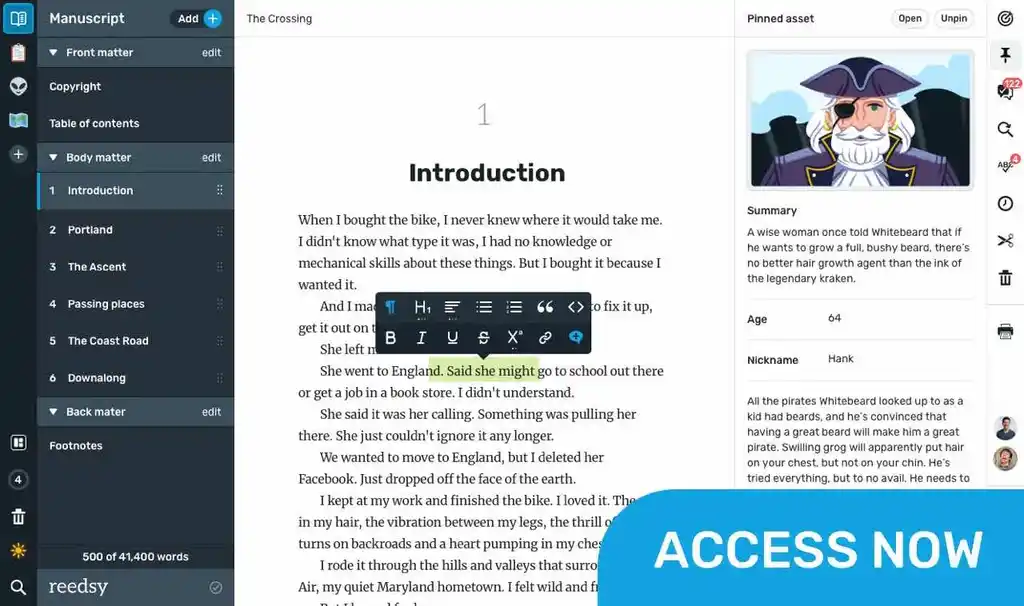
Write your book in Reedsy Studio. Try the beloved writing app for free today.

Craft your masterpiece in Reedsy Studio

Plan, write, edit, and format your book in our free app made for authors.

DIRECTORY

Best Writing Apps for iPhone

Showing 64 writing apps that match your search.

Elevate your writing, create beautiful documents, and collaborate with othersβ€”anywhere, anytime.

Platforms: Online, Mac, Windows, iPhone, iPad, Chrome, PC

Best for: Drafting, Essay, Journal, Book, Story, Poetry, and Blog

Website: https://www.microsoft.com/en-us/microsoft-365/word

Base price:

$6.99 monthly

Premium price:

$9.99 monthly

Sharing and real-time collaboration

Premium templates and stickers

Dictation and transcription

β˜…β˜…β˜…β˜… Performance

β˜…β˜…β˜…β˜…β˜… Features

β˜…β˜…β˜…β˜…β˜… Accessibility

β˜…β˜…β˜…β˜… Value

Also rated 4.0 β˜… on TechRadar

The simplest way to keep notes. All your notes, synced on all your devices.

Platforms: Windows, iPhone, iPad, Android, Mac, PC, Chrome, PC

Best for: Note-taking, Drafting, Book, Story, Journal, and Free

Website: https://simplenote.com/

Base price:

Free

Premium price:

–

Automatic syncing

Tags for organization

Share documents and notes

β˜…β˜…β˜…β˜…β˜… Performance

β˜…β˜…β˜… Features

β˜…β˜…β˜…β˜…β˜… Accessibility

β˜…β˜…β˜…β˜…β˜… Value

Also rated 4.0 β˜… on TechRadar

Create documents, make impact. When your work needs to wow, Craft gives you the tools to make it magnificent.

Platforms: Mac, iPhone, iPad, Windows, Online, PC

Best for: Note-taking, Drafting, Journal, Essay, Blog, and Free

Website: https://www.craft.do/

Base price:

Free

Premium price:

$5.00 monthly

AI writing assistant

Document structuring

Customizable

Collaboration

β˜…β˜…β˜…β˜… Performance

β˜…β˜…β˜…β˜… Features

β˜…β˜…β˜…β˜…β˜… Accessibility

β˜…β˜…β˜…β˜… Value

Also rated 4.9 β˜… on the App Store

Craft your masterpiece in Reedsy Studio

Plan, write, edit, and format your book in our free app made for authors.

Learn more about Reedsy Studio

In Outline you can create notebooks for your personal needs of widest range: travel or recipe book, any kind of journal or diary, photo album, daily planner, and so on and so forth. Just everything you could imagine!

Platforms: iPhone, iPad, Mac

Best for: Note-taking and Journal

Website: https://outline.app/

Base price:

$9.99 one-time payment

Premium price:

–

Multi-touch gestures

Handwriting functionalities

Hightlight and annotate

β˜…β˜…β˜… Performance

β˜…β˜…β˜…β˜… Features

β˜…β˜… Accessibility

β˜…β˜…β˜… Value

Also rated 4.2 β˜… on the App Store

A tactile tool to randomly combine a plot, a subject and a setting or style, the Brainstormer can provide that elusive moment of inspiration for writers, painters, or any kind of creative endeavour.

Platforms: iPhone, iPad

Best for: Brainstorming, Book, and Story

Website: https://www.tapnik.com/brainstormer/

Base price:

$1.99 one-time payment

Premium price:

–

Lists of 100s of prompts

Wheel Mode & Slot Machine Mode

Random spin to combine different ideas

β˜…β˜…β˜… Performance

β˜…β˜…β˜… Features

β˜…β˜… Accessibility

β˜…β˜…β˜… Value

Also rated 3.5 β˜… on the App Store

Chapters lets you manage multiple notebooks, each fully searchable and with its own settings. Keep a personal journal, a photo diary, notes about that project at work, and a travel journal in a single app.

Platforms: iPhone, iPad, Mac

Best for: Note-taking and Journal

Website: http://slidetorock.com/apps/Chapters-iPad-notebooks.html

Base price:

$1.99 one-time payment

Premium price:

–

Password protected

Color code

Fast search

Create backup files

β˜…β˜…β˜… Performance

β˜…β˜…β˜… Features

β˜…β˜… Accessibility

β˜…β˜…β˜… Value

Also rated 4.0 β˜… on the App Store

Get organized. Stay creative. Milanote is an easy-to-use tool to organize your ideas and projects into visual boards.

Platforms: iPhone, iPad, PC, Windows, Mac, Android, Chrome, Online

Best for: Note-taking, Outlining, Book, Story, Journal, and Free

Website: https://milanote.com/

Base price:

Free

Premium price:

$9.99 monthly

Boards for notes and to-dos

Web clipper

Collaborative functionalities

Integration across platforms

β˜…β˜…β˜…β˜… Performance

β˜…β˜…β˜…β˜… Features

β˜…β˜…β˜…β˜…β˜… Accessibility

β˜…β˜…β˜…β˜… Value

Also rated 3.0 β˜… on PC Magazine

yWriter is a word processor which breaks your novel into chapters and scenes, helping you keep track of your work while leaving your mind free to create. yWriter was designed by an author, not a salesman!

Platforms: Windows, Android, iPhone, iPad, PC

Best for: Drafting, Book, Story, and Free

Website: http://www.spacejock.com/yWriter7.html

Base price:

Free

Premium price:

–

Track progress

Organize by scenes and chapters

Storyboard view

β˜…β˜…β˜… Performance

β˜…β˜…β˜… Features

β˜…β˜…β˜…β˜…β˜… Accessibility

β˜…β˜…β˜…β˜…β˜… Value

Also rated 3.5 β˜… on PC Magazine

Capture what’s on your mind. Add notes, lists, photos, and audio to Keep.

Platforms: Online, iPhone, iPad, Android

Best for: Note-taking, Story, Book, Blog, Journal, Poetry, and Free

Website: https://www.google.com/keep/

Base price:

Free

Premium price:

–

Set reminders

Share easily

Quick search and filter

β˜…β˜…β˜…β˜… Performance

β˜…β˜…β˜… Features

β˜…β˜…β˜… Accessibility

β˜…β˜…β˜…β˜… Value

Also rated 4.0 β˜… on TechRadar

Bear is a beautiful, flexible writing app for crafting notes and prose.

Platforms: Mac, iPhone, iPad

Best for: Note-taking, Drafting, Book, Story, Essay, Blog, and Free

Website: https://bear.app/

Base price:

Free

Premium price:

$14.99 yearly

Focus & dark mode

Encryption

Convert into PDF and Word Docs

Cross note links & tags

β˜…β˜…β˜…β˜… Performance

β˜…β˜…β˜… Features

β˜…β˜…β˜… Accessibility

β˜…β˜…β˜… Value

Also rated 4.3 β˜… on the App Store

Scrivener is the go-to app for writers of all kinds, used every day by best-selling novelists, screenwriters, non-fiction writers, students, academics, lawyers, journalists, translators and more.

Platforms: Mac, Windows, iPhone, iPad, PC

Best for: Outlining, Drafting, Editing, Publishing, Book, and Story

Website: https://www.literatureandlatte.com/scrivener/overview

Base price:

$59.99 one-time payment

Premium price:

–

Flexible corkboard

Structure outliner

Metadata and target setting

Print and export functionalities

β˜…β˜…β˜…β˜… Performance

β˜…β˜…β˜…β˜…β˜… Features

β˜…β˜…β˜…β˜… Accessibility

β˜…β˜…β˜…β˜…β˜… Value

Also rated 4.0 β˜… on Reedsy

A focused environment where you can write freely. With iA Writer, you can gain unparalleled insight into your writing structure, detect superfluous words and clichΓ©s, and navigate through your documents and notes with ease.

Platforms: Mac, iPhone, iPad, Windows, Android, Chrome, PC

Best for: Drafting, Book, Story, Poetry, Journal, Essay, and Blog

Website: https://ia.net/writer

Base price:

$49.99 one-time payment

Premium price:

–

Focus mode

Markdown & syntax highlight

Style check

Wikilinks

β˜…β˜…β˜… Performance

β˜…β˜…β˜… Features

β˜…β˜…β˜…β˜…β˜… Accessibility

β˜…β˜… Value

Also rated 4.0 β˜… on PC Magazine

What makes a good writing app?

Put simply, what makes a writing app good for you will depend on the kind of writer that you are. 

  • If you’re an author, you might be interested in a writing app with outlining, planning, and formatting functionalities.
  • If you’re a student, you’re probably in the market for a writing app that blocks out distractions while you’re writing.
  • If you’re a screenwriter, you’ll want a writing app that’s specifically dedicated to writing screenplays.

Or, if you’re none of the above, worry not: that’s why we built this directory of writing apps. Whatever you need, we’ve gathered the outstanding writing apps of 2024 across multiple categories (drafting, editing, note-taking, etc) and platforms (Android, iOS, online browsers, etc) in one place. Feel free to use the filters to make your quest for the perfect writing app even easier!

So what are the best writing apps of 2024?

We can now put an end to the age-old debate of which writing app is best: Microsoft Word vs. Google Docs

The answer, of course, is neither! Hopefully, this directory will point you towards a much better match that actually fulfills your writing needs. We objectively evaluated each writing app based on four metrics.

  • Performance: How seamlessly does the writing app do what it’s purported to do? How good is the user experience, from top to bottom?
  • Features: How many bells and whistles are built into the app to augment its use?
  • Accessibility: Is it widely available on many different operating platforms (e.g. iOS, Windows, mobile, desktop, etc)?
  • Value: Is it worth the cost that it would take to download it?

Here are some general recommendations to give you a headstart.

The best writing app for authors

If you’ve been searching for an all-in-one outlining, writing, formatting, and typesetting tool, look no further than Reedsy Studio. Used by over 50,000 authors every month, it’s publishing’s most trusted companion to take them from a first draft to a professionally exported manuscript.

πŸ’° Price:  Free

πŸš‰ Runs on: Web

The best writing app for note-takers

Evernote is the king of written organization. In addition to its free organizational templates, Evernote also gives you impressive tagging capabilities, an omnipresent Web Clipper, and the ability to share notes with collaborators, so that you’ll never forget anything again.

πŸ’° Price:  Free basic plan, $4.99/month for premium

πŸš‰ Runs on: Mac, iOS, Windows, and Android

The best writing app for screenwriters

Along with standard scriptwriting features, Final Draft enables you to measure character traits using its inclusivity analysis feature, and tweak your “beat board” until you find your perfect arrangement. And when you’re ready to bring in editors, you can all work simultaneously in real time.

πŸ’° Price: Free trial for 30 days, $249.99 license fee

πŸš‰ Runs on: Mac, iOS, and Windows

I’ve found the perfect writing app. What next?

Congratulations! Now the fun part begins: actually writing the project that you’ve got in mind.

For authors, this means that you have a long and exciting road ahead. In addition to a writing app, we recommend that you arm yourself with some writing knowledge before you embark on it: whether it’s an understanding of story structure or careful thought put into your character creation, all of it can help you realize your goal of a novel.

If you don’t know where to start, check out the list of free resources below. Good luck, and happy writing!

Free online materials

πŸ–₯️

Which writing app is best for you?

Take our 1 minute quiz to find out.