Menu
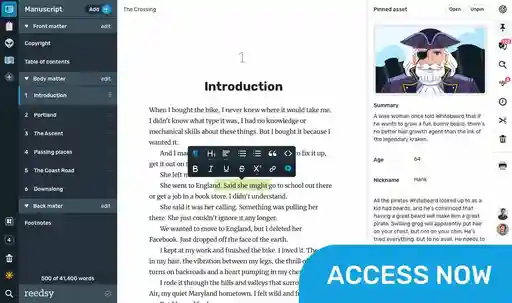
Write your book in Reedsy Studio. Try the beloved writing app for free today.
Craft your masterpiece in Reedsy Studio
Plan, write, edit, and format your book in our free app made for authors.
Write your book in Reedsy Studio. Try the beloved writing app for free today.
Craft your masterpiece in Reedsy Studio
Plan, write, edit, and format your book in our free app made for authors.
DIRECTORY
Showing 69 writing apps that match your search.
So, You’re looking to write a book. Well, wavemaker is here to help. It’s much much more than a text editor.
Platforms: Mac, Windows, Chrome, Android, Online, PC
Best for: Outlining, Drafting, Book, Story, and Free
Website: https://wavemaker.cards/
Base price:
Premium price:
 Connects to Google Docs
Mind maps
Timelines
★★★ Performance
★★★ Features
★★★★ Accessibility
★★★ Value
Also rated 3.7 ★ on Google Play
Whatever kind of writer you are, ProWritingAid will help you improve your writing and get your ideas across more clearly. Our grammar and style checker contains over 3,000 explanations and videos written by our experts, so you don't need to remember all those crazy rules.
Platforms: Mac, Windows, Online, PC, Chrome
Best for: Drafting, Editing, Proofreading, Book, Essay, Story, Blog, and Free
Website: https://prowritingaid.com/
Base price:
Premium price:
In-depth writing reports
Style and grammar suggestions
Built-in thesaurus
Multiple app and browser integrations
★★★★★ Performance
★★★★★ Features
★★★★ Accessibility
★★★★ Value
Also rated 4.5 ★ on Reedsy
Remember everything and tackle any project with your notes, tasks, and schedule all in one place.
Platforms: iPhone, iPad, Windows, Android, Mac, Online, Chrome, PC
Best for: Note-taking, Outlining, Book, Essay, Journal, Poetry, Story, Blog, and Free
Website: https://evernote.com/
Base price:
Premium price:
Syncs across devices
Search within documents
Clip web pages and PDFs
Dozens of app integrations and templates
★★★★ Performance
★★★★★ Features
★★★★★ Accessibility
★★★★ Value
Also rated 4.4 ★ on the App Store
Ideas, stories, and life’s events. Capture them in a journal that’s easy to carry and offers more than bound sheets. Chronicle for iPad is about you and your words. Write comfortably and benefit from being able to find anything you wrote with built-in search.
Platforms: iPhone, iPad, Mac
Best for: Note-taking and Journal
Website: http://slidetorock.com/apps/Chronicle-for-iPad-journal.html
Base price:
Premium price:
Distraction-free writing
Password protect journal entries
Built-in search
★★★★★ Performance
★★★ Features
★★ Accessibility
★★★★ Value
Also rated 4.5 ★ on the App Store
LibreOffice is a free and powerful office suite, and a successor to OpenOffice.org (commonly known as OpenOffice). Its clean interface and feature-rich tools help you unleash your creativity and enhance your productivity.
Platforms: Mac, Windows, PC
Best for: Drafting, Book, Essay, Journal, Poetry, Story, Blog, and Free
Website: https://www.libreoffice.org/
Base price:
Premium price:
Full-feature word processor
Customizable fonts and other styles
★★★★ Performance
★★★★ Features
★★★★★ Accessibility
★★★★ Value
Also rated 4.0 ★ on TechRadar
Diarly is built for the best journaling experience. With every feature you will need and a beautiful interface, starting a journal has never been so simple.
Platforms: Mac, iPhone, iPad
Best for: Note-taking and Journal
Website: https://diarly.app/
Base price:
Premium price:
Built-in gallery and maps
Timeline
Notes
Custom fonts and templates
★★★★ Performance
★★★★ Features
★★★ Accessibility
★★★★ Value
Also rated 4.8 ★ on the App Store
Stuck in front of a blank page? Need a boost of inspiration? Join us to overcome blocks and push your creativity to the max. With Writing Challenge, you will brainstorm new and fresh ideas and embrace freewriting in the funniest way ever.
Platforms: iPhone, iPad, Mac, Android
Best for: Brainstorming, Story, Book, and Poetry
Website: https://www.writingchallengeapp.com/
Base price:
Premium price:
Creative idea generators
Daily writing challenges
Widgets and reminders
★★★ Performance
★★★★ Features
★★★ Accessibility
★★★ Value
Also rated 4.4 ★ on the App Store
LanguageTool’s multilingual grammar, style, and spell checker is used by millions of people around the world.
Platforms: Online, Mac, Windows, iPhone, iPad, PC
Best for: Editing, Proofreading, Essay, Blog, and Free
Website: https://languagetool.org/
Base price:
Premium price:
Personal dictionary
Distraction-free writing experience
Quality scoring for your texts
★★★★ Performance
★★★ Features
★★★★★ Accessibility
★★★★ Value
Also rated 4.8 ★ on the App Store
FreeOffice 2021 is a complete Office suite with a word processor, a spreadsheet application and a presentation program – all seamlessly compatible with their counterparts in Microsoft Office.
Platforms: Mac, PC, Windows
Best for: Drafting, Book, Essay, Journal, Poetry, Story, Blog, and Free
Website: https://www.freeoffice.com/en/
Base price:
Premium price:
Full feature word processor
Create and open PDFs
Track changes
★★★★ Performance
★★★ Features
★★★★ Accessibility
★★★★ Value
Also rated 4.0 ★ on TechRadar
Cold Turkey Writer transforms your computer into a typewriter, which forces you to do nothing but write.
Platforms: Windows, Mac, PC
Best for: Drafting, Book, Story, and Free
Website: https://getcoldturkey.com/writer/
Base price:
Premium price:
Distraction-free writing
Timer block
Word count block
★★★★★ Performance
★★★ Features
★★★★ Accessibility
★★★★ Value
Also rated 4.0 ★ on TechRadar
Werdsmith turns your iPhone, iPad, Mac and Apple Watch into a powerful writing studio that inspires you to write. With features to motivate you and help you break through writer‘s block, you‘ll find yourself writing more than ever.
Platforms: iPad, Mac, iPhone
Best for: Drafting, Book, Story, Poetry, and Free
Website: https://werdsmith.com/
Base price:
Premium price:
Syncs across IOS devices
Sets writing goals
Minimalist interface
★★★★★ Performance
★★★★ Features
★★ Accessibility
★★★★ Value
Also rated 4.7 ★ on the App Store
Outline faster, organize smarter, and turbocharge your productivity today with the #1 visual book planning software for writers.
Platforms: Mac, iPhone, iPad, Android, Windows, PC
Best for: Outlining, Book, and Story
Website: https://plottr.com/
Base price:
Premium price:
Visual timelines
Series planning
Starter templates & story bibles
★★★★ Performance
★★★ Features
★★★★★ Accessibility
★★★ Value
Also rated 3.0 ★ on Reedsy

Join a community of over 1 million authors
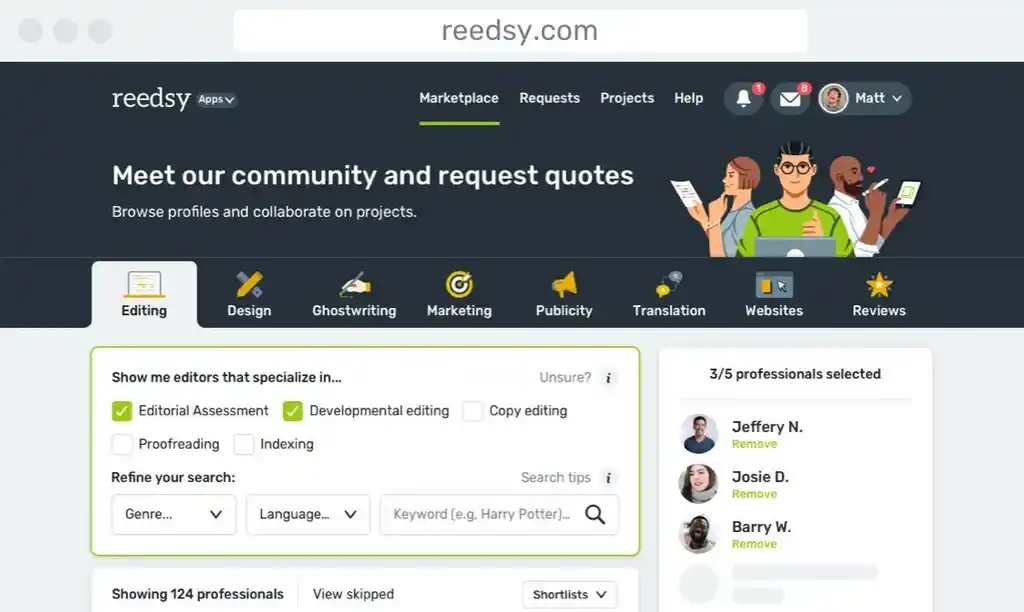
Reedsy is more than just a blog. Become a member today to discover how we can help you publish a beautiful book.

Enter your email address to save your shortlist so that you don't lose it!
By continuing, you will also receive Reedsy's weekly publishing tips and access to our free webinars.

Check your email
We've sent over your shortlist. Thank you for using Reedsy's Writing Apps Directory 🙌
Meet Reedsy Studio
The beloved app built by authors, for authors. Write, format, and export — 100% free.
Enter your email or get started with a social account: